If you patch switches, transceivers, or fiber distribution frames for a living, the LC connector is probably the fitting you touch most. It is the small, latching connector you find on duplex patch cords plugged into SFP-style optics, and it is the default front-port format in nearly every modern data center and telecom room. This guide explains what an LC fiber connector is, the cable and component types built around it, how LC UPC differs from LC APC, how to match single-mode and multimode, and a practical, answer-first way to pick the right LC cable for a given link.
An LC connector buys you density and a secure click in tight spaces. But the connector format is only one of six or seven decisions. You still have to match fiber mode, polish, cable construction, transceiver interface, polarity, and the installation environment. Get those wrong and a physically-mating cable can still fail to bring the link up.
What Is an LC Fiber Connector?
An LC fiber connector is a small-form-factor (SFF) optical connector that terminates a single fiber in a 1.25 mm ceramic ferrule and locks into an adapter or transceiver with an RJ-style latch. It was originally developed by Lucent Technologies for telco use, which is where the name comes from; you will also see it expanded informally as "Little Connector." The design is standardized for intermateability under TIA-604-10 (FOCIS-10) and IEC 61754-20, which is why an LC plug from one vendor mates cleanly with another vendor's LC adapter.
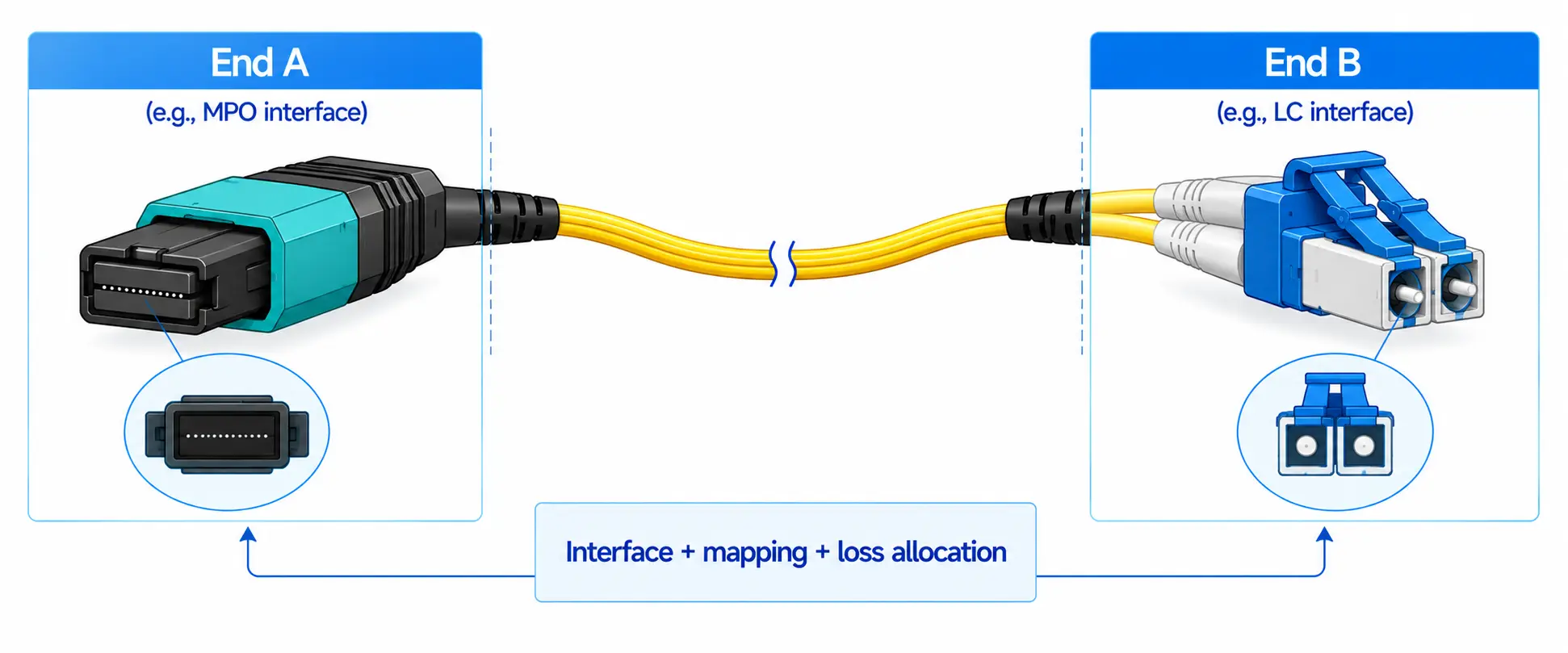
In the field, "LC fiber optics" is really shorthand for a family of products that share the LC interface: LC connectors, LC patch cords, LC adapters, LC pigtails, LC attenuators, and MTP/MPO-to-LC cassettes. Two LC connectors clipped together form the duplex LC that you see on Ethernet and Fibre Channel optics.

LC Fiber Connector Quick Facts
| Attribute | LC connector |
|---|---|
| Ferrule diameter | 1.25 mm ceramic (zirconia), half the size of SC/ST/FC at 2.5 mm |
| Coupling | Push-and-latch (RJ-style), pull-proof |
| Fiber support | Single-mode (OS2) and multimode (OM3/OM4/OM5) |
| Polish options | UPC and APC (single-mode); PC/UPC (multimode) |
| Form factors | Simplex, duplex, uniboot, push-pull tab, armored |
| Standards | TIA-604-10 (FOCIS-10), IEC 61754-20; Telcordia GR-326 for endface geometry |
| Typical insertion loss | ~0.25 dB standard grade; ~0.10–0.15 dB low-loss grades per mated pair |
The 1.25 mm ferrule is the whole reason LC exists. Because it is half the diameter of the older SC ferrule, an LC connector lets you roughly double the port count on the same panel or faceplate. That density is what makes it the dominant connector in active equipment; the optical ports on common SFP, SFP+, and SFP28 transceivers are almost all duplex LC.
Why LC Became the Default High-Density Connector
LC won because it solved a physical problem that got worse as switch port counts climbed. When you are facing a 48-port or 96-port patch panel, or a 1U leaf switch with optics packed shoulder to shoulder, a 2.5 mm connector simply runs out of room. LC fits twice as many connections in the same width while keeping a positive, audible latch.
The practical advantages worth naming:
- Roughly double the panel density of SC, ST, or FC
- A secure latch that survives rack maintenance and cable movement without backing out
- Native compatibility with the SFP/SFP+/SFP28/QSFP optics that dominate access and leaf-spine fabrics
- A full range of cable builds (simplex, duplex, uniboot, push-pull, armored, low-loss) on one connector standard
- Clean integration with LC adapters, patch panels, and MTP/MPO cassettes for structured cabling
One real-world wrinkle: in a fully populated high-density panel, the standard latch can be genuinely hard to reach with your fingers. That is not a theoretical complaint; it is why uniboot and push-pull tab LC cords exist, and why they are worth specifying before you build the rack rather than after you are fighting it.
LC UPC vs LC APC
After fiber mode, polish type is the LC choice most likely to cause a field problem. The two options are UPC (Ultra Physical Contact) and APC (Angled Physical Contact), and they are not interchangeable.
| LC UPC | LC APC | |
|---|---|---|
| Endface | Flat, slightly domed | Angled 8° |
| Return loss | Typically ≥ 50 dB | Typically ≥ 60 dB (lower back-reflection) |
| Common boot color (SM) | Blue | Green |
| Best for | Ethernet, data center, enterprise LAN, SFP/SFP+ links | PON, FTTH/FTTx, RF/CATV-over-fiber, reflection-sensitive telecom |
For most standard data networking, LC UPC is the right call. Choose LC APC when back-reflection matters: passive optical networks, FTTx interfaces that specify APC, and analog RF video links where reflected light degrades the signal.
Never mate a UPC connector to an APC connector. The endface geometries are different, so even though the plug appears to fit, you get high insertion loss, ruined return loss, and a real risk of physically damaging both ferrules. Before you order, confirm the polish on the equipment port and on the existing patch field, and match it.
Color helps but is not proof. Blue and green boots are conventions, not guarantees, and they vary across vendors, regions, and cable grades. Confirm the polish in the product specification and the equipment documentation, not just by eye. If you want the deeper physics of why the angle changes reflection, our explainer on the differences between insertion loss and return loss covers it.

Single-Mode vs Multimode LC Fiber
The LC connector says nothing about which fiber mode you need. The same LC body terminates both OS2 single-mode and OM-series multimode, so this is a separate decision driven entirely by your transceiver and cable plant.
| Single-mode LC | Multimode LC | |
|---|---|---|
| Fiber grade | OS2 | OM3 / OM4 / OM5 |
| Wavelength | 1310 nm / 1550 nm | 850 nm (and 1300 nm for some) |
| Reach | Long - campus, metro, DCI | Short - in-building, intra-data-center |
| Source | Laser | VCSEL |
| Common jacket color | Yellow | Aqua (OM3/OM4), lime (OM5) |
| Typical use | SFP28 LR over OS2, backbone, telecom | SFP28 SR over OM4, server-to-leaf |
For a short-reach 850 nm link inside a rack row, multimode LC over OM4 is usually the practical and economical choice. For anything that leaves the building or needs distance margin, single-mode LC over OS2 is the safer default even when the run is currently short, because it leaves room to grow. As with polish, treat jacket color as a hint and verify the printed jacket marking against the transceiver datasheet.
Always Start From the Optical Module
The reliable workflow is to read the transceiver first, then choose the cable to match. From the module datasheet, confirm the connector interface (LC, SC, or MPO/MTP), the fiber mode, the wavelength, the supported reach, the required polish, and whether the link is duplex or simplex. Then select an LC patch cord that matches both the optic and the existing infrastructure.
LC vs SC vs MPO/MTP
LC vs SC
Both are mainstream, but they serve different eras and densities. LC is smaller and built for high-density active equipment; SC is larger and common in older plants, media converters, and some FTTH gear. Choose LC when port density matters, when you are connecting SFP-style optics, or when you are building a modern data center. Choose SC when the installed base already standardizes on it or when the design specifically calls for it.
LC vs MPO/MTP
This is not really a competition; it is a division of labor. LC carries one or two fibers per connection. MPO/MTP is a multi-fiber connector built for parallel optics and backbone trunks. In a typical data center, MPO/MTP trunks run between cabinets and an MPO-to-LC breakout cassette fans the backbone out into duplex LC ports at the front of the panel, where LC patch cords reach the switches and servers. You use both, each for what it is good at. If you are deciding on the trunk side, the distinction between MTP and MPO is worth understanding before you commit a cabling standard.
Main LC Component Types
Rather than a flat catalog, here is what each LC build is actually for and when to reach for it.
LC Patch Cords
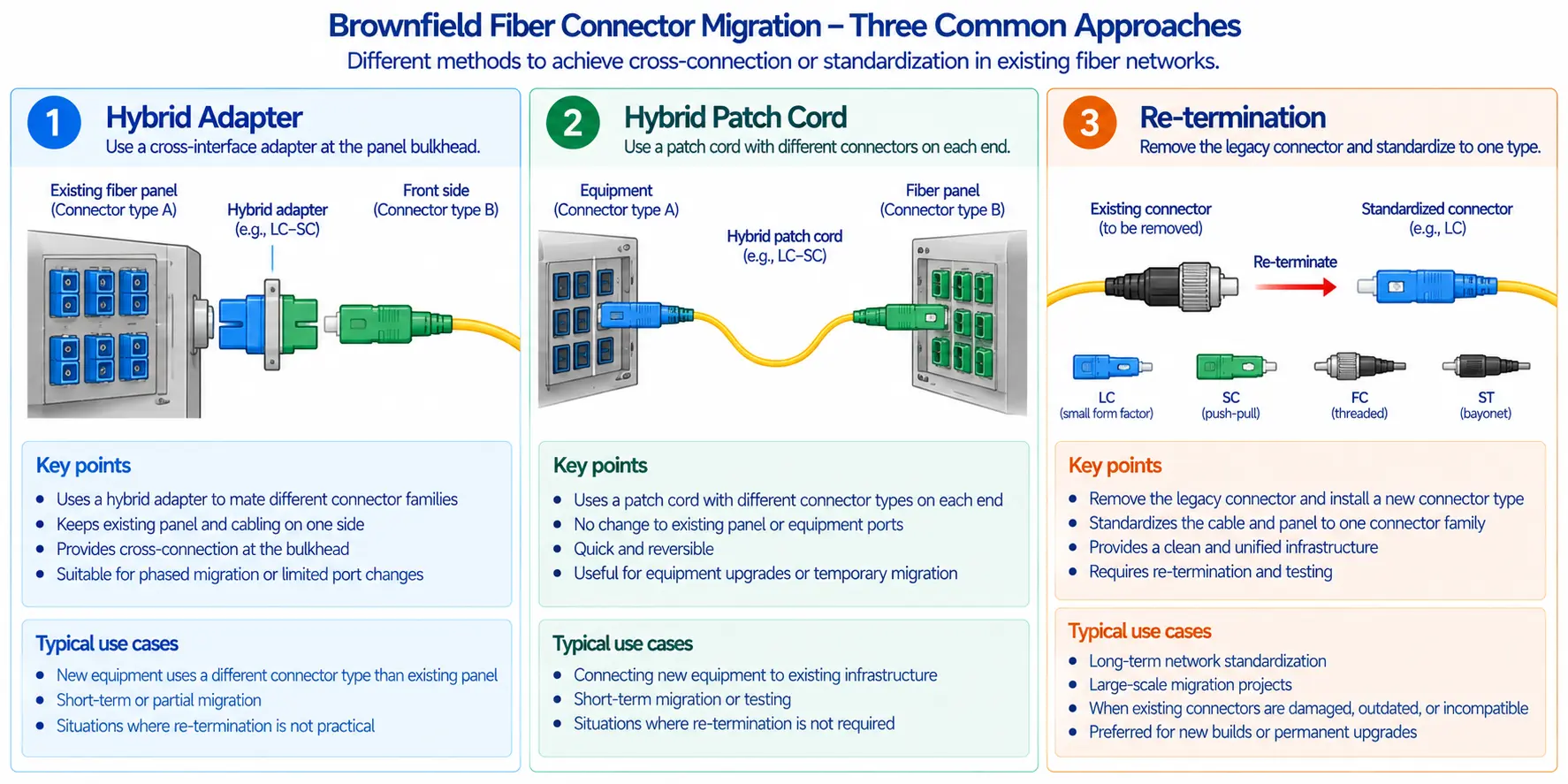
Short cables terminated with LC on one or both ends - LC-LC, LC-SC, LC-FC, LC-ST, in simplex or duplex, single-mode or multimode. The LC-LC duplex cord is the workhorse for transceiver-to-switch, switch-to-patch-panel, and server links. The full range of fiber patch cords spans every common mode, polish, and connector combination.
Uniboot LC
A uniboot LC carries both fibers inside one round jacket instead of two zipcord legs. That halves the cable bulk and noticeably improves airflow and routing in dense racks - a real win for top-of-rack switching and tight patch panels. Many uniboot cords also support field polarity reversal, but the exact method depends on the design, so check the instructions before you flip anything.
Push-Pull Tab LC
An extended tab lets you release the latch in panels where your fingers cannot reach it. If you are filling deep rack positions or switches with optics packed tightly together, push-pull tabs turn a frustrating extraction into a one-handed pull. They pay for themselves the first time you have to remove one cord from the middle of a full row.
Low-Loss and Ultra-Low-Loss LC
Standard-grade LC runs around 0.25 dB per mated pair; low-loss and ultra-low-loss grades push that down toward 0.15 dB and 0.10 dB. That margin only matters when the link stacks up multiple mated pairs - for example, a structured run with several cassettes and patch points feeding a 25G or 100G link on a tight budget. For a single short jumper, standard grade is fine; for multi-connection backbones, the low-loss premium buys you design headroom and a cushion for future upgrades.
Armored LC
Armored LC adds a protective layer for environments where a standard jumper would be at risk: industrial cabinets, factory floors, congested equipment rooms, rodent exposure, or installs that get moved often. The armor resists crush and abrasion, but it is not a license to abuse the cable - bend radius and pulling-tension limits still apply, and over-bending an armored cable still breaks fibers.
LC Adapters and Patch Panels
An LC adapter (coupler) joins two LC connectors inside a panel, wall box, or enclosure; it comes in simplex, duplex, and quad, for single-mode or multimode, UPC or APC. LC patch panels then organize and protect those connections - cleaner routing, easier troubleshooting, clear port labeling, and safer moves/adds/changes. In high-density designs, panels typically pair MTP/MPO backbone trunks with LC cassette modules.
MTP/MPO-to-LC Cassettes and LC Attenuators
Cassettes convert a high-fiber-count backbone into multiple front-panel LC duplex ports, which is what makes structured cabling fast to deploy and tidy to maintain. LC attenuators, fixed or variable, knock down optical power when a receiver would otherwise be overdriven - common on single-mode, long-haul, and amplified links. Before adding one, verify the transceiver's receive range and measure the actual power.
Which LC Cable Should You Choose, by Application?
This is the table most buyers actually want. Match your scenario to the row.
| Application | Recommended LC cable | Fiber mode | Polish | Key check |
|---|---|---|---|---|
| Data center 10G/25G SR | LC-LC multimode duplex | OM4 | UPC | 850 nm optics, OM3/OM4 reach |
| Campus / DCI backbone | LC-LC single-mode duplex | OS2 | UPC | Distance and link budget |
| PON / FTTx | LC/APC where interface requires | OS2 | APC | Return loss |
| High-density rack | Uniboot LC or push-pull tab LC | SM or MM | UPC/APC | Polarity and latch access |
| Industrial / harsh cabinet | Armored LC | SM or MM | Depends | Bend and crush risk |
| Tight multi-connection link | Ultra-low-loss LC | SM or MM | Match port | Total mated-pair loss |

How to Choose the Right LC Cable: A Practical Sequence
Work through these in order. Each step rules something out before you spend money.
- Confirm the port is actually LC. Two small adjacent optical ports usually mean duplex LC, but some modules use MPO/MTP or SC. Check the datasheet rather than assuming.
- Match single-mode or multimode. A single-mode optic needs OS2; a multimode optic needs OM3/OM4/OM5. Never mix modes in a link unless the system is explicitly designed for it.
- Pick UPC or APC. UPC for most Ethernet and data center links; APC for PON, FTTx, and RF video. Verify the polish on the port and existing patch field.
- Choose simplex, duplex, or uniboot. Duplex for standard bidirectional Ethernet; uniboot when you want duplex with less bulk and better airflow.
- Size the length for clean routing. Long enough to route through cable managers without tension, short enough to avoid unmanaged slack and sharp loops.
- Match the jacket rating. PVC, LSZH, riser, or plenum - driven by local fire code and the install environment, not preference.
- Account for density. Crowded rack? Lean toward uniboot, push-pull tabs, or a higher-density panel.
- Check the link budget. Every connector pair, adapter, and cassette adds loss. On tight or high-speed links, total it up and consider low-loss cable to stay within margin.
Common LC Mistakes to Avoid
- Buying by connector alone. "LC" tells you the interface, not the mode, polish, grade, or jacket. A cord that fits can still be optically wrong.
- Mixing single-mode and multimode. Mechanical fit does not equal optical compatibility.
- Mating UPC to APC. The endface mismatch wrecks performance and risks ferrule damage.
- Ignoring polarity. On duplex LC, transmit must reach receive, or the link never comes up. Some uniboot cords allow reversal - check before assuming.
- Skipping inspection and cleaning. Contamination is one of the most common causes of fiber link faults. The accepted discipline is inspect-clean-inspect on every mating, formalized in IEC 61300-3-35, which sets pass/fail criteria for endface scratches, pits, and debris across four zones of the connector face. Dust or oil on the endface raises loss and can scratch both ferrules when you mate them.
- Over-bending the cable. Pulling, crushing, or tight loops damage fiber. Respect the manufacturer's bend radius and tension limits - armor included.
For practical loss-and-reflection troubleshooting specific to this connector, our companion piece on the LC fiber connector and its loss/reflection behavior goes deeper than space allows here.
Where LC Fiber Shows Up
LC duplex cords dominate switch-to-server and switch-to-storage links, with uniboot and push-pull variants cleaning up high-density racks. Enterprise backbones use LC to tie network rooms, distribution frames, and core switches together in single-mode or multimode depending on distance. Telecom and FTTx gear leans on LC for compact, high-port-count patching, often with APC polish on the PON side. In structured cabling, MTP/MPO trunks form the backbone while LC cassettes present duplex ports at the panel face. And in test and lab work, LC cords, adapters, and attenuators show up everywhere - where endface cleanliness and correct power levels matter most.
FAQ
Q: What is an LC connector in fiber optics?
A: It is a compact, latching small-form-factor connector that holds one fiber in a 1.25 mm ceramic ferrule. It is the most common connector on modern patch cords, transceivers, adapters, and panels, standardized under TIA-604-10 (FOCIS-10).
Q: Is LC fiber single-mode or multimode?
A: Either. LC is just the connector; the fiber can be OS2 single-mode or OM3/OM4/OM5 multimode. Match the fiber to the transceiver, not to the connector.
Q: What is the difference between LC UPC and LC APC?
A: UPC uses a flat physical-contact endface and suits Ethernet and data center links. APC uses an 8° angled endface that cuts back-reflection, which is why PON, FTTx, and RF-over-fiber links specify it. The two should never be mated together.
Q: Is LC better than SC?
A: For high-density patching, yes - LC is half the size. SC can still be preferable where the installed base uses it or where a larger connector is easier to handle by hand.
Q: Can I connect LC to SC?
A: Yes, with an LC-to-SC patch cord, as long as you still match fiber mode (single-mode vs multimode) and polish (UPC vs APC) across the link.
Q: Do SFP modules use LC?
A: Most SFP, SFP+, and SFP28 optics use a duplex LC interface - but not all optics do, so confirm the module specification before ordering.
Q: How much insertion loss is acceptable for an LC connection?
A: Standard-grade LC runs around 0.25 dB per mated pair, with low-loss grades near 0.10–0.15 dB. The number that matters is total link loss across all mated pairs against your transceiver's budget, not any single connector.
Bottom Line
LC is the backbone connector of high-density optical networking because it is small, secure, and ubiquitous on the optics you already run. But the connector is one decision among several. The right LC cable is the one that matches your transceiver, fiber mode, polish, length, polarity, and environment - not the most expensive one on the shelf. A standard duplex jumper handles a simple Ethernet link; uniboot or push-pull tabs tame a dense rack; low-loss grades protect a tight budget; armor survives a harsh cabinet. Read the datasheet, inspect the endface, match the polish, and the link comes up the first time.
For standards detail, the TIA Fiber Optics Tech Consortium reference on fiber connectors documents the FOCIS connector intermateability standards, and the IEC 61300-3-35 standard defines the endface inspection criteria cited above. Fluke Networks also publishes a clear summary of the recent changes to IEC 61300-3-35 for endface inspection workflows.