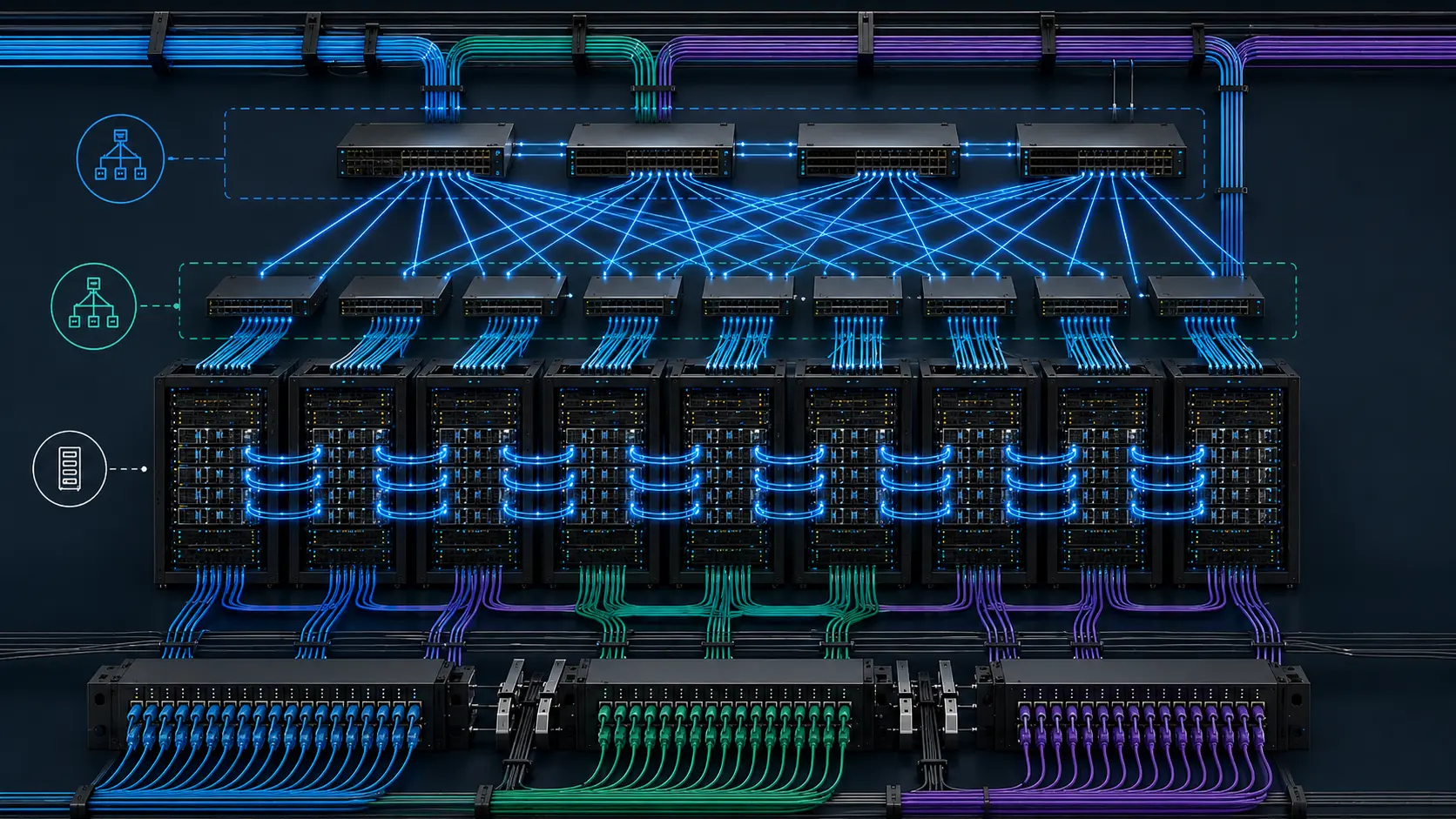
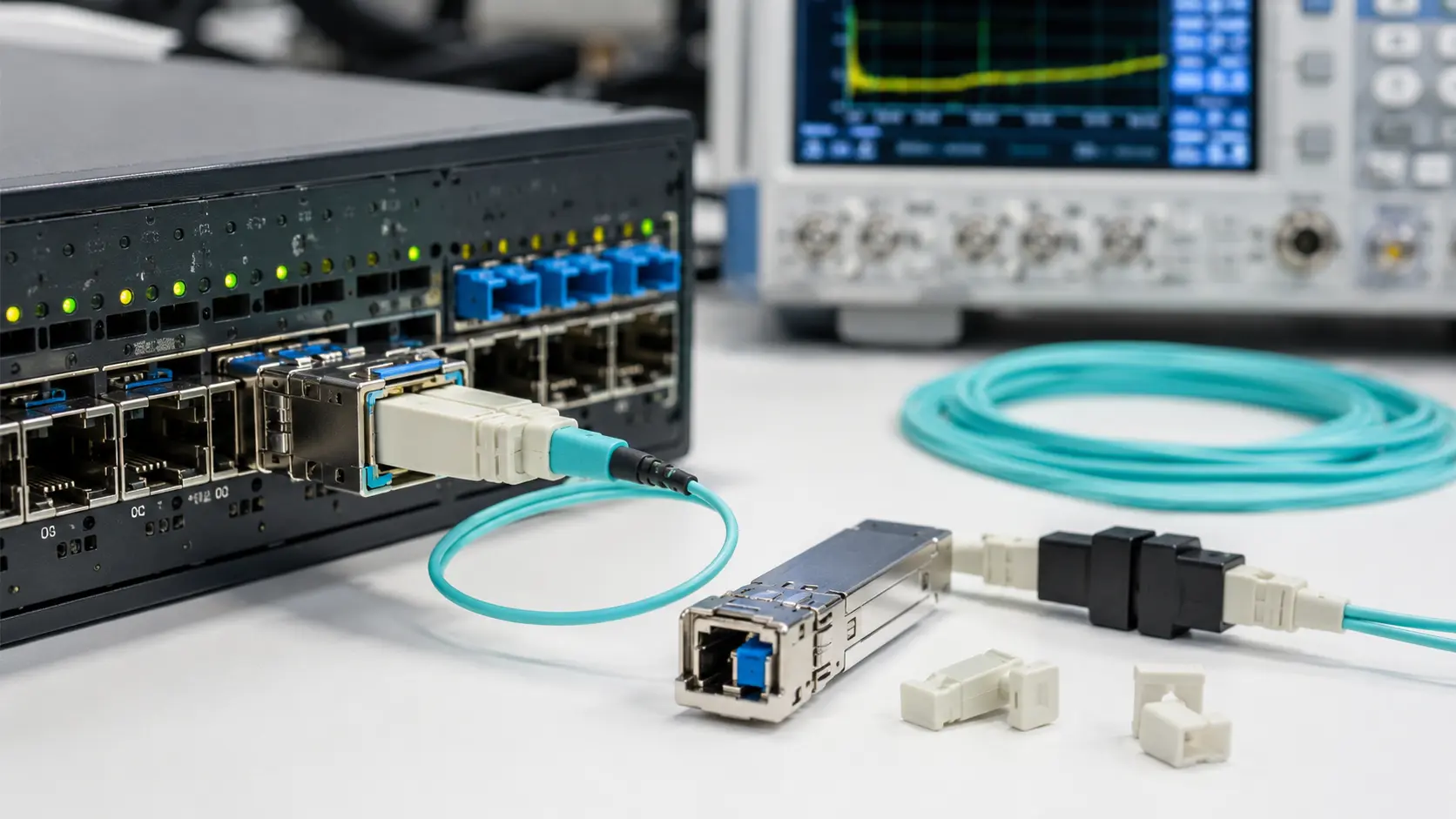
QSFP, QSFP28 and QSFP56 are constantly mixed up because they share the same compact, four-lane pluggable shape. They are not, however, the same generation of transceiver. The fastest way to keep them straight is by Ethernet speed: QSFP+ is built for 40G, QSFP28 for 100G, and QSFP56 for 200G. Everything that trips people up afterward - port support, signaling, breakout, FEC and thermal behavior - follows from that.
One naming note before we start, because it causes real procurement errors. In this guide, when we write "QSFP" on its own we mean the original 40G generation that the industry usually labels QSFP+. The plain term "QSFP" is also used loosely for the whole family, so a line item that just says "QSFP optic" tells you almost nothing about its speed. We come back to this in the next section.
If you are scoping an upgrade or buying optics for a specific switch, do not select on the module shape. A QSFP28 module drops cleanly into a 40G cage and still will not link, because the switch port - not the transceiver - decides the electrical interface, data rate and firmware behavior that the link actually runs at.
QSFP+ vs QSFP28 vs QSFP56
| Attribute | QSFP+ | QSFP28 | QSFP56 |
|---|---|---|---|
| Typical Ethernet speed | 40G | 100G | 200G |
| Lane architecture | 4 × 10G | 4 × 25G | 4 × 50G |
| Signaling (modulation) | NRZ | NRZ | PAM4 |
| Common optical variants | SR4, LR4 | SR4, DR, FR/CWDM4, PSM4, LR4 | SR4, FR4, LR4, DR4 |
| Typical connectors | MPO/MTP (SR4), duplex LC (LR4) | MPO/MTP (SR4, PSM4), duplex LC (FR/LR4/DR) | MPO/MTP (SR4, DR4), duplex LC (FR4/LR4) |
| FEC dependency | None for 40G NRZ | None or optional on most NRZ optics | RS-FEC required (PAM4) |
| Typical breakout | 4 × 10G SFP+ | 4 × 25G SFP28 | 4 × 50G SFP56 |
| Where it fits | Legacy 40G, 10G→40G migration, labs | 100G leaf-spine, 25G server aggregation | 200G spine, 50G server, high-density aggregation |
| Usual upgrade path | → 100G QSFP28 | → 200G QSFP56 or 400G QSFP-DD | → 400G QSFP-DD / OSFP |
| Main limitation | Bandwidth ceiling for dense fabrics | Not a 200G solution | Needs PAM4 ports, RS-FEC and thermal headroom |
QSFP vs QSFP+: Are They the Same?
This is the question that derails more orders than any compatibility issue. The short answer: QSFP is a family; QSFP+ is one member of it.
QSFP stands for Quad Small Form-factor Pluggable. "Quad" is the four-lane design that every generation keeps; what changes from one generation to the next is the speed of each lane. QSFP+ was the first widely deployed member, carrying four 10G lanes for 40G Ethernet. Because it arrived first, "QSFP" and "QSFP+" became interchangeable in datasheets, purchase orders and switch CLIs, and that habit stuck even after 100G and 200G generations appeared.
So when you see "QSFP" with no number, treat it as ambiguous and resolve it before you buy: a 40G QSFP+ optic and a 100G QSFP28 optic look identical in a tray but are not interchangeable in a port. The mechanical envelope, the I²C management interface and the SFF-8636 memory map are shared across the QSFP/QSFP28 family, which is exactly why two very different optics can be confused on sight. A quick mapping that holds up in practice:
- QSFP+ - 40G, four 10G NRZ lanes.
- QSFP28 - 100G, four 25G-class NRZ lanes.
- QSFP56 - 200G, four 50G-class PAM4 lanes.
-

The Core Difference: Lane Speed and Signaling
The whole family scales the same way: keep four lanes, push more bits down each one. Each speed grade is defined by the IEEE 802.3 Ethernet standards, which is why a compliant optic from one vendor interoperates with a compliant port from another.
QSFP+: four 10G lanes (40G)
A 40G QSFP+ SR4 module runs four transmit and four receive lanes over parallel multimode fiber, typically terminated in an MPO/MTP connector; the single-mode LR4 variant multiplexes four wavelengths onto a duplex LC pair for 10 km reach. QSFP+ still earns its place in legacy 40G cores, test benches and cost-sensitive links. It stops making sense the moment your server access has moved to 25G or 50G, because the 40G port becomes the bottleneck rather than the optic.
QSFP28: four 25G lanes (100G)
QSFP28 keeps the four-lane layout but raises each lane to 25G-class NRZ, which is what made it the workhorse of 100G leaf-spine fabrics. A single QSFP28 port carries 100G, and on switches that expose the mode it splits into four 25G SFP28 links - the clean match for racks full of 25G servers feeding 100G uplinks. Its ecosystem is deep (SR4, DR, FR, CWDM4, PSM4, LR4, plus DAC and AOC), which is part of why it remains the safe default for new 100G builds.
QSFP56: four 50G PAM4 lanes (200G)
QSFP56 doubles the port again to 200G by running four 50G lanes, and to fit 50G into a lane it switches from NRZ to PAM4 signaling. NRZ sends one bit per symbol using two levels; PAM4 sends two bits per symbol using four levels. That packs more data into the same baud rate, but the four levels sit closer together, so the link is far less tolerant of noise, reflections and marginal channels. The practical consequence is that QSFP56 is not "a faster QSFP28" - it is a different electrical generation, and it expects the port, firmware and link partner to be designed for PAM4.
NRZ vs PAM4: Why It Changes the Engineering
The jump to PAM4 is the single biggest reason QSFP56 deployments fail in ways QSFP28 deployments did not. With NRZ, the receiver only decides between two states, so the eye is wide and the margin is forgiving. With PAM4, the receiver has to separate four states in the same voltage window, which shrinks each eye to roughly a third of the height and makes the link lean hard on DSP and forward error correction.
That is why FEC stops being optional. 50G-per-lane PAM4 was standardized in IEEE 802.3cd, which mandates RS-FEC for these interfaces; the error correction is part of how the link is designed to close, not a tuning knob you can turn off. Treat a 200G link as a system where the optic, the host SerDes and the FEC setting all have to agree.
A field example. In one maintenance window, a 200G link came up clean on both ends and passed a quick ping test, so it was signed off. Hours later, monitoring flagged climbing post-FEC errors and intermittent drops. The cause was a FEC mismatch: one side had RS-FEC enabled, the other had inherited a profile that disabled it. The link "worked" just long enough to hide the problem. The fix was trivial; the lesson was that on PAM4 you confirm the FEC mode before you close the change, because a link that lights up is not the same as a link that is healthy.

Compatibility: Can You Mix QSFP+, QSFP28 and QSFP56?
This is where most real money is wasted. The modules are mechanically interchangeable; the ports are not. The rule that explains almost every case is simple:
A higher-speed port can often drive a lower-speed module, but a lower-speed port can never drive a higher-speed module unless the vendor explicitly engineered it to.
QSFP+ module in a QSFP28 port?
Frequently yes - when the switch lets you set that port to 40G mode. The 100G SerDes can be configured down to the 40G electrical profile a QSFP+ optic expects, which is what makes phased 40G→100G migrations practical on the same hardware. The catch is that the port has to advertise the lower-speed mode in its supported-optics list; mechanical fit is not the same as an advertised mode.
QSFP28 module in a QSFP+ port?
No. A QSFP+ port only provides the 40G-class electrical interface, and there is no path for it to source the 25G-per-lane signaling a 100G optic needs. The module seats and may even read its EEPROM, but the link cannot negotiate up to 100G - the host simply does not have the lanes to feed it. Expecting auto-negotiation to bridge that gap is the classic mistake: a 100G QSFP28 SR4 dropped into a 40G-only cage stays dark no matter how the port is configured.
QSFP56 module in a QSFP28 port?
No. QSFP56 needs 50G PAM4-capable lanes; a QSFP28 port is built for 100G NRZ and has neither the per-lane rate nor the PAM4 datapath to run a 200G optic. There is no software setting that converts a 100G NRZ port into a 200G PAM4 port.
Can a QSFP56 port run older modules?
Often, but only by design. Many 200G platforms expose 100G QSFP28 and 40G QSFP+ modes on the same cage so operators can stage an upgrade, yet that backward operation is a property of the switch ASIC and its software, not of the QSFP56 cage itself. The test is whether the optic appears in the vendor's supported list for that platform and mode - if it does not, assume it is unsupported.
Breakout Compatibility
Breakout is a second, separate source of dead links, because it depends on the port mode and the operating system, not just the cable. Each generation breaks out within its own lane speed:
- QSFP+ - 40G to 4 × 10G SFP+.
- QSFP28 - 100G to 4 × 25G SFP28.
- QSFP56 - 200G to 4 × 50G SFP56.
The connectors look familiar across generations, which is precisely the trap: a 40G-to-4×10G assembly is not the same as a 100G-to-4×25G assembly, even when both terminate the same way. A breakout link fails when the parent port has not been placed in breakout mode, when the OS image does not expose that specific split, or when the far end cannot run the target lane rate - and a link that is half-up across four channels is harder to diagnose than one that never came up. Before ordering, match the assembly to the port speed and confirm the platform supports the exact split. When parallel optics feed the breakout, the fiber side is usually built from MTP/MPO breakout cables sized to the lane count.
Cabling and Reach: SR4, LR4, FR4, DR4, DAC and AOC
The module generation is only half the decision; the link distance, fiber type and connector are the other half. Reach figures below are nominal values defined by IEEE 802.3 for the common variants - the exact distance always depends on the fiber grade and the specific optic.
| Generation | Short reach (multimode) | Long reach (single-mode) | Typical connectors |
|---|---|---|---|
| QSFP+ 40G | SR4: up to ~100 m OM3 / ~150 m OM4 | LR4: up to 10 km | MPO/MTP (SR4); duplex LC (LR4) |
| QSFP28 100G | SR4: up to ~70 m OM3 / ~100 m OM4 | DR: ~500 m; FR/CWDM4: ~2 km; LR4: 10 km | MPO/MTP (SR4, PSM4); duplex LC (DR/FR/LR4) |
| QSFP56 200G | SR4: up to ~100 m OM4 | DR4: ~500 m; FR4: ~2 km; LR4: 10 km | MPO/MTP (SR4, DR4); duplex LC (FR4/LR4) |
Short-reach multimode links
Inside a row or across a hall, SR4 optics over parallel multimode are the default. All three generations' SR4 variants run on MPO/MTP terminated fiber, so the cabling that feeds them is typically built from MPO/MTP patch cords with the correct polarity and lane mapping.
Reach is where multimode bites: moving from 40G to 100G on the same OM3 cabling shortens the supported distance, and 200G is tighter still. If you are reusing existing trunks, confirm the fiber grade against the optic's spec before you commit - our overview of OM3 and OM4 distance limits lays out where each grade tops out.
Single-mode links
For longer hauls, LR4, FR4, DR4, CWDM4 and PSM4 cover different distance and architecture trade-offs. WDM variants (FR4, LR4, CWDM4) collapse four wavelengths onto a duplex pair, so they terminate in duplex LC connectors; parallel single-mode variants (DR4, PSM4) keep separate fibers per lane and use MPO/MTP instead.
The fiber itself matters as much as the optic over distance. Single-mode plant is usually OS2 fiber for outside-plant and long campus runs, and matching the fiber category to the optic's reach budget is what keeps a 10 km link inside spec.
DAC and AOC links
For in-rack or adjacent-rack hops, direct-attach copper (DAC) and active optical cable (AOC) are often cheaper and simpler than separate optics plus jumpers. DAC is the lowest-cost option for very short copper runs; AOC is lighter and reaches farther than passive copper. At 50G-per-lane PAM4, copper length and signal quality get unforgiving fast, so a passive DAC that was fine at 25G may not be at 50G - size copper length conservatively at the higher rates.

Power, FEC and Thermal Planning
Faster lanes need more signal processing, and that processing shows up as heat. As a rough guide, 40G QSFP+ optics commonly sit in the ~1.5–3.5 W range, 100G QSFP28 around 3.5–5 W, and 200G QSFP56 frequently 5–7 W or more depending on the variant. You do not have to guess: each module advertises its draw through the SFF-8636 power classes maintained by the SNIA SFF committee, and the switch enforces a maximum class per cage.
Per-port that sounds harmless; at scale it is not. A 2 W increase per port across a 32-port 1RU switch adds roughly 64 W of optical heat to a chassis that was already thermally tight, and a fully populated 64-port box doubles that. That is enough to push edge ports past their temperature limits if airflow direction is wrong or adjacent cages are also running hot optics.
A field example. A dense top-of-rack switch was populated with high-power long-reach optics in every port. The links were healthy, but within a day the chassis logged temperature alarms on the cages nearest the warm-air exhaust. Nothing was defective - the rack's airflow and the switch's per-port thermal budget simply had not been planned for that optic mix. The cards came back to spec after reshuffling the high-power optics away from the hot corner and correcting airflow direction. Bandwidth had been planned; heat had not.
Before deploying QSFP56 or high-power long-reach QSFP28, plan around the module power class the switch allows, the airflow direction (front-to-back vs back-to-front), the vendor temperature limits, the live DOM temperature readings, whether neighboring ports also carry high-power optics, and the rack's cooling capacity. And because PAM4 links depend on RS-FEC to close, settle the FEC mode for both ends before the change window rather than during it.
Choosing by Scenario
Rather than a generic "pick the fastest," match the optic to the situation. The table below covers the cases that come up most often.
| Scenario | Recommended generation | Why |
|---|---|---|
| Maintaining a legacy 40G core | QSFP+ | Ports are 40G; traffic does not justify a 100G rebuild yet. |
| 25G servers feeding 100G uplinks | QSFP28 | Clean 100G-to-4×25G breakout and the deepest optic ecosystem. |
| 50G servers feeding a 200G spine | QSFP56 | 200G per port with 4×50G breakout matched to 50G access. |
| High-density 1RU aggregation | QSFP28 or QSFP56 | Depends on whether the spine needs 100G or 200G - and on thermal headroom. |
| Budget-sensitive incremental upgrade | QSFP28 | Mature pricing, broad switch support, low deployment risk. |
| New fabric with a 400G roadmap | Evaluate QSFP-DD | A 200G optic may be a short-lived step if 400G is imminent. |
QSFP28 vs QSFP56: which upgrade path makes sense?
Stay on QSFP28 when the network is solidly 100G, the server layer is 25G, and the priority is mature pricing and low risk. Move to QSFP56 when the access layer is genuinely 50G or the spine is congested at 100G and the platform, cabling and FEC plan are all PAM4-ready. The deciding question is not "is 200G faster" - it obviously is - but "does the rest of the link support PAM4 today, and will 200G still be the right tier in two years, or should the budget go toward 400G."
When not to choose QSFP56
Skip QSFP56 if your ports do not support 50G PAM4, if the server access is still 10G or 25G (the 200G uplink will sit idle), if the rack cannot absorb the extra per-port heat, or if your roadmap jumps to 400G soon enough that 200G becomes a stranded intermediate step. Buying a 200G optic for a port that cannot run PAM4 is the most expensive version of the shape-matching mistake.
QSFP56 vs QSFP-DD
If you are designing a new fabric with a clear path to 400G, QSFP-DD is worth weighing against QSFP56. QSFP-DD adds a second row of electrical lanes (eight instead of four) and is the common form factor for 400G, while remaining able to host lower-speed optics on many platforms. It is not a drop-in replacement for every QSFP56 use case, though - the choice turns on your switch platform, breakout plan, optics budget and bandwidth roadmap. Our QSFP-DD technical overview walks through where it fits relative to the four-lane generations.
What to Check on the Switch Datasheet
Most link-up failures are decided on the datasheet, not in the rack. Before you raise a purchase order, read the platform documentation for these specifics:
- The per-port speed modes the cage actually supports (40G / 100G / 200G), not just the connector type.
- The supported-optics or compatibility matrix for that exact platform and software release.
- Which breakout splits the OS image exposes on that port (4×10G, 4×25G, 4×50G).
- The maximum module power class per cage, and any limits when neighboring ports are populated.
- The default and configurable FEC modes for each speed.
- The airflow direction of the chassis and its rated operating temperature range.
Common Mistakes to Avoid
The five that recur most: buying the fastest optic without checking the port's supported modes; assuming mechanical fit equals electrical compatibility; reusing a breakout cable from a different generation; leaving FEC mismatched on a PAM4 link; and planning bandwidth while forgetting the heat that higher-speed optics add to a dense switch. Each is cheap to avoid on paper and expensive to chase once the gear is racked.
FAQ
Q: Is QSFP the same as QSFP+?
A: Not exactly - QSFP names the four-lane family, while QSFP+ is specifically the 40G generation. Because QSFP+ came first, the terms are used interchangeably, so a "QSFP optic" line item should be resolved to a speed before purchase.
Q: Is QSFP28 backward compatible with QSFP+?
A: It can be, in one direction. A QSFP28 (100G) port can usually be set to 40G to accept a QSFP+ module, which is how staged upgrades work. The reverse does not: a QSFP+ port cannot run a QSFP28 module, because it lacks the 25G-per-lane electrical interface.
Q: Can I use a QSFP56 module in a QSFP28 port?
A: No. QSFP56 requires 50G PAM4 lanes, and a QSFP28 port provides 100G NRZ lanes. There is no configuration that turns a 100G NRZ port into a 200G PAM4 port; the lanes themselves are different.
Q: What is the difference between QSFP28 and QSFP-DD?
A: QSFP28 is a four-lane 100G form factor. QSFP-DD ("double density") adds a second row for eight electrical lanes and is the common 400G form factor, while still hosting slower optics on many platforms. QSFP-DD is the step up when you need 400G, not a like-for-like swap for 100G.
Q: Does QSFP56 always require PAM4?
A: For its native 200G operation, yes - 200G QSFP56 is built on four 50G PAM4 lanes and the RS-FEC that PAM4 depends on. If a QSFP56-capable port is configured down to a 100G or 40G mode for an older optic, that lower-speed link can run NRZ, but that is the port operating as an earlier generation, not the QSFP56 optic running without PAM4.
Q: Do QSFP28 and QSFP56 require different cables?
A: For breakout and DAC/AOC, yes - those are matched to the lane speed (4×25G vs 4×50G), so they are not interchangeable. For structured fiber, SR4 on either generation uses MPO/MTP and the WDM single-mode variants use duplex LC, but the supported reach and fiber grade differ, so confirm the optic's spec against the cabling.
Q: Is QSFP28 still worth deploying?
A: Yes, and for most 100G builds it is still the default. The 25G-server-to-100G-uplink pattern is mature, broadly supported and low-risk, and the optic ecosystem is the deepest of the three. QSFP56 earns its premium only when you have a real 200G requirement and a PAM4-ready path to carry it.
Key Takeaways
QSFP+, QSFP28 and QSFP56 share a four-lane envelope but serve three different network tiers: 40G, 100G and 200G, with QSFP56 crossing into PAM4 territory. Select from the switch port outward, not from the optic inward - confirm the supported speed modes, the optic list, breakout support, fiber and connector, reach, FEC and thermal budget before you buy. For 100G today, QSFP28 remains the practical default; QSFP+ still covers legacy 40G; and QSFP56 is the right call for genuine 200G density, but only when the whole link - port, optic, cable, FEC and cooling - is engineered for it.