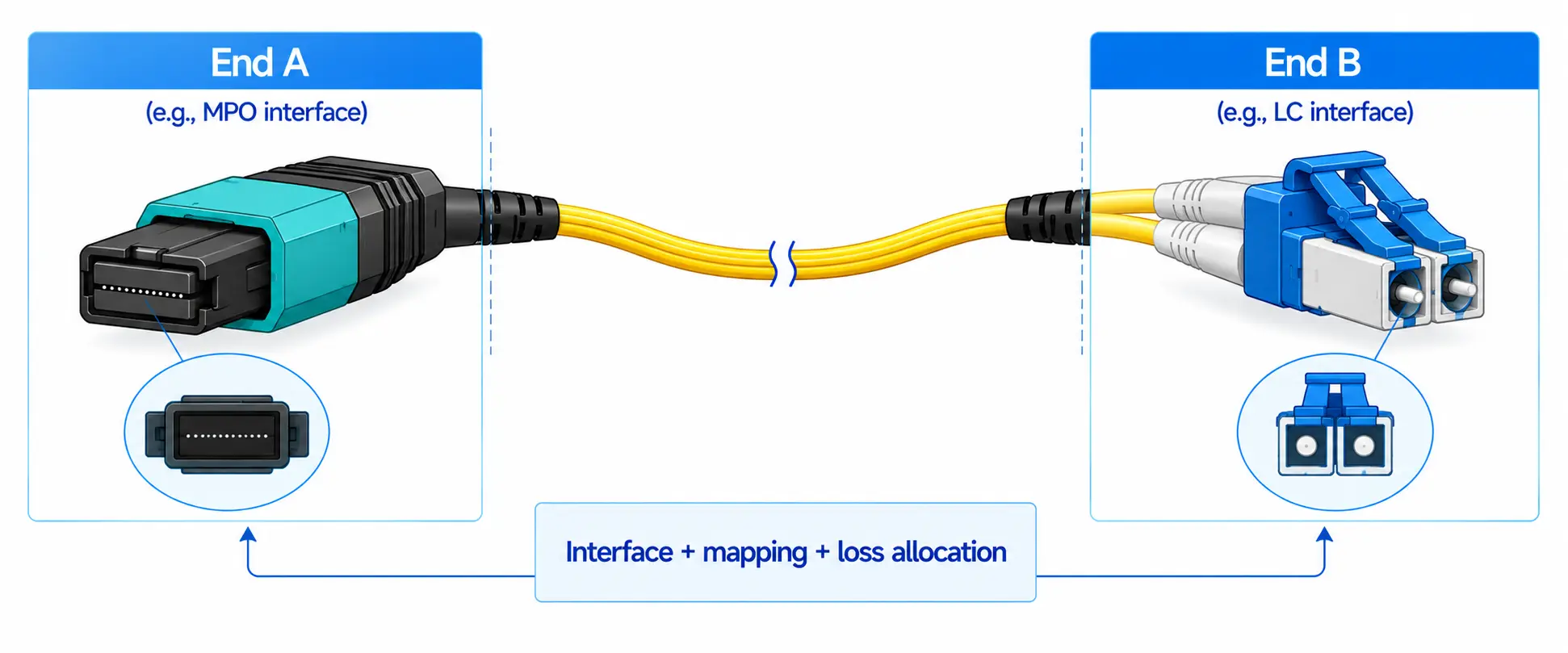
A fiber loopback cable loops the transmit (Tx) signal of an optical port straight back into its receive (Rx) side, so you can confirm whether a transceiver or port can send and receive light without a remote endpoint. It is used for transceiver and port diagnostics, pre-deployment checks, lab validation, and manufacturing burn-in. It does not certify an installed fiber link, patch panel, or remote optics. To choose one correctly, match the connector type (LC, SC, or MPO/MTP), fiber mode (single-mode or multimode), polish (UPC or APC), wavelength, and - for MPO - fiber count, polarity, pinout, and gender.
What Is a Fiber Loopback Cable?
A fiber loopback cable - also sold as a fiber optic loopback, loopback module, or loopback adapter - is a short optical assembly that returns the signal from the transmit side of an optical interface back to its receive side. In a normal link, one device sends light down the fiber and a second device receives it. In a loopback test, the light never reaches a remote endpoint; the loopback feeds it straight back into the same port or module. That lets you confirm the local optical interface works before you spend time investigating the rest of the path.
Engineers reach for a loopback when they need to test:
- Optical transceivers (SFP, SFP+, SFP28, QSFP+, QSFP28, QSFP-DD, OSFP)
- Switch, router, and line-card optical ports
- Network interface cards and server NIC optics
- Data center and telecom equipment in staging or repair
- Modules on a lab bench or production test station
It is one of the fastest ways to separate a local fault (transceiver, port, or configuration) from a problem somewhere else in the link.
How Does a Fiber Loopback Cable Work?
The mechanism is direct: the assembly connects Tx to Rx. When you plug a loopback into a compatible port, the transmitted light is routed back into the receive path, and the device checks whether it gets back what it sent.
A passing test means the port or transceiver can transmit and receive under that test condition. A failing test points to the transceiver, port hardware, configuration, signal level, or connector condition.
The important limit: a passing loopback does not prove the external link is healthy. It validates the local interface and the looped path only. If the loopback passes but the live link still fails, look at the patch cord, patch panel, polarity, optical budget, cleanliness, remote optics, or configuration instead.
Field tip: When a 10G SFP+ port stays down after re-patching, insert an LC loopback at the transceiver. If the port comes up and the switch CLI shows normal link state and optical power, the transceiver and local port are almost certainly fine - move your attention to the cabling, polarity, and remote end rather than swapping the module first.

Fiber Loopback Cable Types: LC vs SC vs MPO/MTP
Loopbacks are selected by connector type, fiber mode, polish, wavelength, and application. Three connector families cover almost every case.
| Loopback type | Typical interfaces | Fiber count | Common use | Key selection point |
|---|---|---|---|---|
| LC | SFP, SFP+, SFP28, duplex LC ports | 2 (duplex) | Access/aggregation switches, storage, 1G to 25G optics | Fiber mode and polish |
| SC | SC duplex ports, media converters, some telecom/FTTH | 2 (duplex) | Legacy and industrial gear, lab benches | Mode and polish; larger ferrule |
| MPO/MTP | QSFP+, QSFP28, QSFP-DD, OSFP parallel optics | 8, 12, 16, 24 | High-density data center; 40G/100G/400G testing | Fiber count, polarity, pinout, gender |

LC Fiber Loopback Cable
LC loopbacks serve the small-form-factor world: SFP, SFP+, SFP28, and other duplex LC ports on Ethernet switches, storage fabrics, and access optics. The LC's small footprint is why it dominates high-density 1G to 25G equipment. If you are matching the loopback to a port, the LC connector is the duplex interface you will meet most often. Confirm single-mode versus multimode and UPC versus APC before ordering.
SC Fiber Loopback Cable
SC loopbacks fit equipment with the larger SC interface - media converters, some industrial and telecom access gear, and lab equipment. Because SC end faces are frequently angle-polished in single-mode telecom, check the polish carefully; mating an APC port with a UPC loopback degrades return loss and can produce misleading results. Our guide to SC/APC connectors explains why the angled end face matters for reflection-sensitive links.
MPO/MTP Fiber Loopback Cable
MPO and MTP loopbacks handle multi-fiber, parallel-optic interfaces and are standard for high-density data center testing - QSFP+ 40G, QSFP28 100G, and QSFP-DD/OSFP at 200G/400G. Unlike a duplex LC, an MPO loopback must match a specific fiber count, polarity, pinout, gender, and key orientation. Parallel applications such as 40GBASE-SR4 and 100GBASE-SR4, defined in the IEEE 802.3 Ethernet standard, transmit over four lanes (eight fibers) of a 12-fiber MPO, so the loopback has to route exactly the lanes the module uses. Choosing the wrong pinout fails the test even when the transceiver is healthy. If you are unsure how the two connector standards relate, see how MTP and MPO connectors differ.
Field tip: Before ordering an MPO loopback for a 100GBASE-SR4 QSFP28 module, confirm fiber count (8 of 12 fibers used), gender (the module port usually mates with a male/pinned loopback), polarity, and key orientation. A loopback with the wrong gender simply will not mate, and the wrong fiber routing reads as a failure on a perfectly good module.
Single-Mode vs Multimode Fiber Loopback
Matching fiber mode is one of the highest-stakes choices when buying a loopback, and it tracks the optics you are testing - the same way you would match single-mode and multimode SFP modules to the right fiber.
| Attribute | Single-mode loopback | Multimode loopback |
|---|---|---|
| Fiber | OS2 | OM3 / OM4 / OM5 |
| Typical wavelength | 1310 nm, 1550 nm | 850 nm |
| Typical optics | LR, ER, ZR; telecom, metro, long-reach | SR, SR4; data center short-reach |
| Connector cue | Often APC on telecom SC; LC or MPO | Usually UPC; LC or MPO |
| Use it for | Single-mode transceivers only | Multimode transceivers only |
The rule is short: single-mode loopback for single-mode optics, multimode loopback for multimode optics. Do not mix them unless a specific procedure says to - a mode mismatch produces misleading or failed results.
Fiber Loopback Cable vs Loopback Module
"Loopback cable" and "loopback module" describe the same function in different packages, and the right one depends on where you test.
- Loopback cable: a short fiber assembly looping Tx to Rx. Flexible and easy to inspect and clean; good for bench work and anywhere you want to see the fiber path.
- Loopback module/adapter: a compact, self-contained plug with the fiber loop sealed inside. Lower-profile and faster to insert in dense panels; suited to repeated field and data center use.
For crowded racks, the compact module is usually quicker to handle; for lab and manufacturing setups where you re-terminate or inspect often, a cable form is convenient. The function is identical, so choose by form factor and durability.
When Should You Use a Fiber Loopback Cable?
Use a loopback whenever you need to test an optical interface in isolation.
Pre-Deployment Testing
Before installing new switches, routers, line cards, or modules, loop each optical port to confirm it transmits and receives. Catching a dead port on the bench is far cheaper than finding it after the device is racked and cabled.
Transceiver and Port Diagnostics
When a link will not come up, a loopback tells you which side to chase. If the port passes, the fault is likely external (fiber, patching, polarity, remote end, or configuration). If the port fails, the fault is local (transceiver, port, or its configuration).
Manufacturing and Burn-In Testing
Module makers and test labs loop optics during functional and burn-in testing because a loopback gives a repeatable Tx-to-Rx path without building an end-to-end network for every unit. A controlled loopback lets a module run traffic against itself across temperature and time while error counters and optical power are logged.
Maintenance and Troubleshooting
During maintenance, a loopback quickly re-confirms a suspect port - especially when no second endpoint is available or when you need an answer fast.
How to Run a Fiber Loopback Test Step by Step
Exact steps depend on the device and diagnostic software, but a typical fiber loopback test runs like this.
Step 1 - Identify the port or transceiver
Confirm which interface is suspect and record its connector type, speed, fiber mode, and wavelength.
Step 2 - Choose the matching loopback
Match connector type (LC/SC/MPO/MTP), fiber mode, polish (UPC/APC), wavelength, MPO polarity and pinout, and whether attenuation is needed.
Step 3 - Inspect and clean
Dirty end faces are a leading cause of high loss, reflection, and unstable readings. Inspect and clean before every insertion, and keep dust caps on unused loopbacks.
Step 4 - Insert carefully
Seat the connector without forcing it. For MPO/MTP, verify key orientation and gender before insertion.
Step 5 - Run the diagnostic
Use the device CLI or network operating system, a test application, or a traffic generator. Depending on the platform, watch link state, received optical power, error and CRC counters, returned traffic, or the module's self-test result.
Step 6 - Interpret the result
If it passes, the local Tx and Rx paths work under test. If it fails, check, in order: transceiver seating, port configuration and admin state, end-face cleanliness, connector/mode/polish match, signal level (overload or under-power), then the loopback's own specification.
Step 7 - Remove and store
Pull the loopback, replace dust caps, and store it in a clean case to protect the end faces.

Common Fiber Loopback Test Failures and How to Fix Them
Most "failed" loopback tests are setup problems, not dead modules. Work the likely causes in order.
| Symptom | Likely cause | What to check or do |
|---|---|---|
| Port will not link, no light detected | Wrong fiber mode or polish; module disabled | Match SM/MM and UPC/APC; verify the port is admin-enabled |
| MPO test fails on a known-good module | Wrong polarity, pinout, or gender | Confirm fiber count, polarity type, key orientation, and male/female |
| High loss, reflection, or unstable readings | Dirty or damaged end face | Inspect and clean to IEC 61300-3-35; re-inspect; replace if damaged |
| Link up but CRC or bit errors | Receiver overload on a short loop, or marginal optics | Add the right attenuation; re-clean and recheck before condemning the module |
| Passes loopback, live link still down | Fault is external to the local interface | Check patch cord, panel, polarity, optical budget, and remote optics |
Field tip: If the loopback passes but CRC errors persist on the live link, do not replace the transceiver first. Inspect the external fiber path and remote optics - the loopback has already cleared the local interface.
Key Specifications to Check Before Buying
A loopback looks trivial, but the wrong specification makes it useless for your test. Confirm each item below.
| Specification | What to confirm |
|---|---|
| Connector type | LC or SC for duplex; MPO/MTP for parallel optics |
| Fiber mode | OS2 single-mode vs OM3/OM4/OM5 multimode - match the optics |
| Polish | UPC vs APC (angled, green body) - must match the port |
| Wavelength | 850 nm (multimode) or 1310/1550 nm (single-mode) operating window |
| Insertion and return loss | Suitable for the test condition; confirm on the datasheet |
| MPO polarity and pinout | Fiber count, polarity type, and key orientation |
| Connector gender (MPO) | Male/pinned vs female/no-pin to mate the port |
| Attenuation | Only if the procedure or power budget requires it |
| Housing / form factor | Compact module for dense panels; cable for the bench |
Insertion loss and return loss. These set how clean the looped path is. As a working reference, a quality single-mode loopback often shows insertion loss well under 0.5 dB, with return loss commonly 50 dB or better for UPC and 60 dB or better for APC - but always confirm against the assembly datasheet and your equipment's requirement. If the concepts are unfamiliar, see how insertion loss and return loss differ.
Polish (UPC vs APC). Angled (APC) and flat (UPC) end faces are not interchangeable; mating them mismatches the connection both mechanically and optically. Match what the equipment uses.
Attenuation and receiver power. On short loops, transmit power can land near or above a receiver's maximum input, and some module datasheets note that attenuation may be required to guarantee operation - a point Cisco makes for its 40GBASE QSFP modules. Use a fixed attenuator sized to the module's input range when the datasheet or your power budget calls for it; otherwise a standard loopback is fine.
End-face quality. Reliable results depend on clean, in-spec ferrules. A quality loopback should be inspected to IEC 61300-3-35, the international standard for fiber-optic connector end-face cleanliness, with measured insertion and return loss and, for MPO, verified polarity and pinout.
How to Choose a Fiber Loopback Cable
Put the decision in order:
- Connector - LC or SC for duplex ports; MPO/MTP for QSFP-class parallel optics.
- Mode - single-mode for single-mode optics, multimode for multimode optics.
- Polish - match UPC or APC to the port.
- Wavelength - confirm the loopback covers the module's operating window.
- MPO details - fiber count, polarity, pinout, gender, and key orientation.
- Attenuation - only if the procedure or power budget needs it.
- Form factor - compact module for dense racks; cable for the bench.
Before you order, gather: equipment type, transceiver form factor, port connector, fiber mode, wavelength, polish, cable-versus-module preference, MPO fiber count/gender/polarity/pinout, insertion and return loss requirement, attenuation need, and test environment (lab, factory, data center, or field). Sharing this list lets a supplier confirm the right part the first time - you can send these requirements for a recommendation rather than risk an incompatible order. For high-density 40G/100G/400G work, also confirm the matching MPO/MTP cabling so the loopback and live links share the same polarity scheme.
FAQ
Q: What is the purpose of a fiber loopback cable?
A: It loops an optical port's transmit signal back to its receive side so you can verify the port or transceiver sends and receives correctly - without needing a remote device.
Q: Can a fiber loopback test certify the whole fiber link?
A: No. It validates the local interface and the looped path only. Certifying installed cabling needs an optical loss test set (OLTS), and locating faults along a run needs an OTDR.
Q: What is the difference between an LC and an MPO loopback?
A: LC loopbacks serve duplex ports such as SFP/SFP+/SFP28. MPO loopbacks serve multi-fiber parallel optics such as QSFP+/QSFP28 and higher, and require correct fiber count, polarity, pinout, and gender.
Q: Should I choose a single-mode or multimode loopback?
A: Match the optics: a single-mode loopback for single-mode transceivers, a multimode loopback for multimode transceivers.
Q: Can I use a multimode loopback on a single-mode transceiver?
A: No, unless a specific procedure allows it. The core sizes and wavelengths differ, so a mismatch gives misleading or failed results.
Q: Do I need a UPC or APC loopback?
A: Match the port's polish. APC (angled, green) is common on reflection-sensitive single-mode telecom; UPC is common in data communications. Mating UPC to APC mismatches the connection.
Q: What is the difference between a fiber loopback cable and a loopback module?
A: Same Tx-to-Rx function, different package. A cable is a flexible fiber loop; a module is a compact sealed plug that is faster to use in dense panels.
Q: Do fiber loopback cables need built-in attenuation, and how much?
A: Only when the procedure or optical budget requires it - typically to keep transmit power below a receiver's maximum input on a short loop. Size the attenuation to the module's datasheet input range rather than guessing.
Q: Why does my MPO loopback test fail even though the transceiver is good?
A: Usually polarity, pinout, gender, or key orientation - or a dirty end face. Confirm the MPO routing matches the module and re-inspect the ferrule before suspecting the optics.
Key Takeaways
A fiber loopback cable is a fast, low-cost way to isolate a local optical interface for transceiver diagnostics, pre-deployment checks, lab validation, and burn-in. It confirms whether a port can transmit and receive, but it does not certify the external link, so pair it with an OLTS or OTDR when you need full link results. To buy the right one, match connector type, fiber mode, polish, and wavelength; for MPO/MTP, also lock down fiber count, polarity, pinout, and gender. Insist on clean, IEC-inspected end faces and verified insertion and return loss, and add attenuation only when a receiver's input range calls for it. Get those details right and a loopback will cut troubleshooting time and keep port faults off your live network.