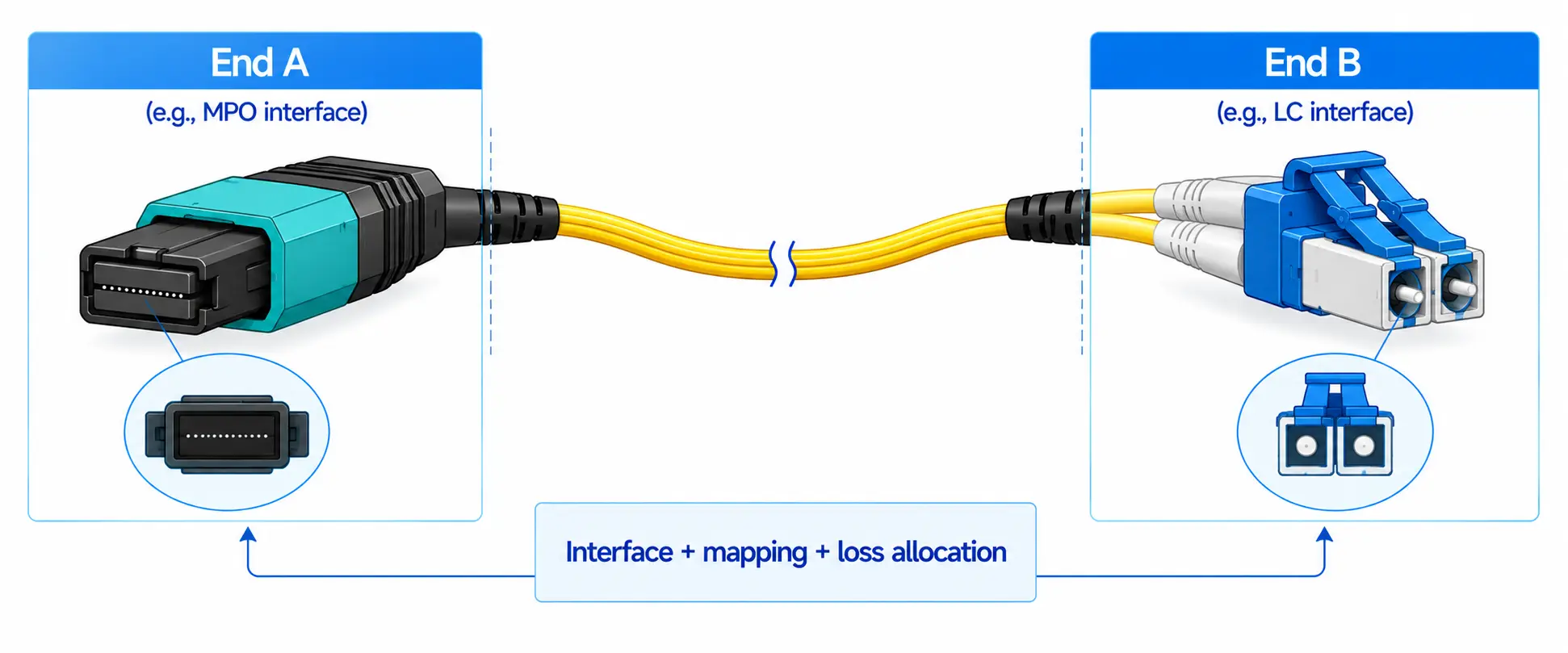
A QSFP56 transceiver is a four-lane pluggable module or cable used for 200Gb/s links. Four electrical lanes each carry roughly 50Gb/s using PAM4 signaling. That much is easy. The hard part is that "QSFP56" and "200G" printed on a box tell you almost nothing about whether the link will actually come up.
Which QSFP56 Option Do You Need?
| Link requirement | Recommended option | Fiber and connector | The check that usually catches people out |
|---|---|---|---|
| Same rack or adjacent rack, a few metres | Passive DAC | Fixed twinax copper | Both ports must support the exact cable length and 200G port mode |
| Short reach, dense rows, copper too bulky | AOC | Integrated multimode fiber | Reach is vendor- and platform-qualified, not a generic number |
| Up to 100m, OM4 already installed | 200GBASE-SR4 | MPO-12 UPC, OM3/OM4 | MPO polarity and the full channel loss budget |
| Up to 500m, single-mode, parallel lanes wanted | 200GBASE-DR4 | MPO-12, OS2 | Breakout support on the switch, and trunk polarity |
| Up to 2km, only one duplex fiber pair available | 200GBASE-FR4 | Duplex LC, OS2 | Wavelength plan - FR4, LR4 and ER4 all use duplex LC and are not interchangeable |
| Around 10km or 40km, campus/metro | LR4- or ER4-class | Duplex LC, OS2 | Exact standard, host qualification, and whether both ends must be the same implementation |

What QSFP56 Actually Specifies - and What It Doesn't
QSFP56 stands for Quad Small Form-Factor Pluggable 56. It defines the mechanical shell, the electrical connector and the host interface: four high-speed transmit lanes and four receive lanes, built on the SFF-8665 QSFP mechanical foundation.
It does not tell you the protocol (Ethernet or InfiniBand), the optical PMD (SR4, DR4, FR4, LR4, ER4), the connector (MPO or duplex LC), the reach, the FEC mode, the power class, or whether the host will accept the module at all. Every one of those is a separate line on the datasheet, and every one of them has broken a link somewhere.
The "56" Is Not a Lane Rate - Clearing Up 200G vs 212.5G vs 26.5625 GBd
Three numbers circulate for the same module, and they are all correct:
- 200Gb/s - the MAC data rate. This is what the port reports and what you buy.
- 212.5Gb/s - the aggregate line rate after encoding, i.e. 4 × 53.125Gb/s. NVIDIA's QSFP56 FR4 specification lists exactly this figure alongside a 4 × 50G PAM4 (200GAUI-4) electrical interface.
- 26.5625 GBd - the PAM4 symbol rate per optical channel. Because PAM4 carries two bits per symbol, ~26.6 GBd yields ~53Gb/s per lane. NVIDIA's 200GbE QSFP56 SR4 module (MMA1T00-VS) lists this rate per fiber.
So the "56" in QSFP56 is a family label inherited from the 56G-class electrical generation, not a baud rate. If someone tells you a 200G PAM4 lane runs at 56 gigabaud, they are describing a different interface.

Why PAM4 Changes the Rules
QSFP28 uses four 25Gb/s NRZ lanes: two levels, one bit per symbol. PAM4 uses four levels and two bits per symbol, which doubles the lane rate without doubling the symbol rate. The trade is signal margin. Four amplitude levels squeezed into the same voltage range means each eye is roughly a third as tall as an NRZ eye, so the link is far more sensitive to crosstalk, connector contamination and reflections - and it depends on FEC by design, not as a safety net. This single fact explains most of the operational advice further down: a PAM4 link can show textbook receive power and still be failing.
QSFP56 Types and Realistic Reach
Passive DAC and Active Copper
A direct-attach copper cable is two QSFP56 ends permanently attached to twinax. Passive DACs are the cheapest and lowest-power option and dominate server-to-ToR and adjacent-switch links. Active copper adds signal conditioning to push the length a little further.
Copper gets thick fast. A rack of 3m DACs is heavy, blocks airflow behind the switch and fights you at the bend radius long before it fails electrically. In high-density rows, the cable management cost often outweighs the price advantage - which is the usual reason teams move to AOCs.
Active Optical Cable (AOC)
An AOC integrates the optics and the fiber into one assembly. It is lighter and more flexible than copper, and the optical interfaces never get touched, so connector contamination stops being a variable.
The cost is rigidity: a damaged end means replacing the whole cable, and you cannot change length or connector type independently. On reach, avoid generic claims. AOC distance is vendor- and platform-dependent - commonly tens of metres, with some qualified assemblies going considerably further. NVIDIA's HDR QSFP56 AOC family, for example, is qualified out to 100m on supported systems. Use the qualified length from the platform's approved-cable list, not a category average.
200GBASE-SR4 - Multimode, Parallel, Up to 100m
SR4 uses four 850nm VCSEL lanes in each direction over parallel multimode fiber, terminated in an MPO-12 UPC connector. The Ethernet variant of NVIDIA's QSFP56 SR4 module supports 100m on OM4 and 70m on OM3, and dissipates approximately 4.35W typical and 5.0W maximum for that specific part.
Two cautions. First, do not assume OM5 automatically stretches any SR4 module past 100m - SR4 is not a wavelength-multiplexed PMD, so the OM5 advantage that helps SWDM does not apply here. If you are weighing fiber grades, the practical differences are covered in our comparison of OM1 to OM5 multimode fiber distance limits. Second, the stated reach assumes a channel that meets the standard's loss budget - not a 95m run with four patch panels in it.
SR4 is the right answer when multimode is already in the ground, the link stays inside one data hall, and MPO cabling is acceptable.
200GBASE-DR4 - Single-Mode, Parallel, Up to 500m
DR4 keeps the four parallel lanes but moves to single-mode fiber over an MPO interface, reaching 500m. Its real attraction is structural: parallel single-mode lanes are the natural substrate for breakout, and DR4 is the usual stepping stone for data centres standardising on OS2 single-mode infrastructure across the whole fabric.
Choose DR4 when you need more than SR4 gives you but still want parallel optics and a breakout path.
200GBASE-FR4 - Duplex Single-Mode, Up to 2km
FR4 multiplexes four 50G wavelengths onto a single fiber pair, so it needs only duplex LC and OS2 - no MPO trunk, no polarity worries. NVIDIA's QSFP56 FR4 part supports up to 2km over OS2 with duplex LC UPC connectors and lists 5.5W maximum power. Note the protocol boundary: that particular module is designed and end-to-end certified for 200Gb/s HDR InfiniBand, so treat its numbers as representative of the optics, not as proof that any 200GBASE-FR4 Ethernet module will behave identically in your switch.
FR4 wins whenever the building already has duplex single-mode pairs and the link crosses a campus. If the wavelength-multiplexing concept is new to your team, our overview of FDM, TDM and WDM multiplexing explains what is happening inside the module.
LR4- and ER4-Class - 10km and 40km
200GBASE-LR4 (≈10km) and 200GBASE-ER4 (≈40km class) exist in the IEEE work, but product availability and interoperability vary far more than for SR4 and FR4. Before you commit, pin down the exact standard, the wavelength plan, the launch and receive limits, the dispersion budget, whether the product is Ethernet-only, and whether both ends must come from the same implementation. A label on a module is not an interoperability statement.
FEC
The single most common piece of vague advice in 200G articles is "check your FEC." Here is what there is to check.
For 200 Gigabit Ethernet, FEC is not optional and it is not a knob on the module. The RS(544,514) code - known as KP4 - is embedded in the PCS sublayer and is always on, as described in the Ethernet Alliance's explanation of the IEEE 802.3bs 200GbE architecture. IEEE's own FEC overview material confirms that RS(544,514) is required across the 50G-per-lane interfaces defined in IEEE 802.3cd.
| Interface | FEC | Where it lives | What you actually configure |
|---|---|---|---|
| 200GBASE-SR4 / DR4 / FR4 / LR4 | RS(544,514), "KP4" | End-to-end, inside the PCS - always on | Usually nothing on the module; confirm the port profile isn't forcing a legacy mode |
| 200G host electrical (200GAUI-4) | Covered by the same end-to-end code | Host ASIC | Port speed / lane mode selection |
| 200G broken out to 4×50G or 2×100G | KP4 per resulting logical port | Host ASIC, per breakout child port | FEC often has to be set per child port, and may differ from the parent |
| InfiniBand HDR | Platform-defined | HCA and switch firmware | Follow the fabric vendor's configuration, not an Ethernet analogy |
The practical failure mode is a mismatch, not an absence: one side inherits a port-group default, the other doesn't, and you get a link that comes up, passes ping, and quietly burns through corrected codewords under load. Which brings us to the rule that matters most on PAM4: never judge a link by its receive power alone. Read the pre-FEC error counters.
Seven Checks Before You Place the Order
Compatibility has four layers - mechanical fit, electrical lane support, protocol and port-mode support, and software acceptance. All four have to pass, and only the first one is visible when you slide the module into the cage. These seven checks cover them.
1. Protocol and Port Speed
Is the link 200GbE, InfiniBand HDR, a vendor-qualified interconnect, or a 200G-to-100G/50G breakout? Two modules can share the QSFP56 shell and target completely different fabrics. Check both endpoint datasheets for port speed, protocol, electrical lane mode, supported PMD and breakout capability.
2. Channel Loss, Not Just Distance
The number that matters is insertion loss across the whole channel: patch cords, trunks, cassettes, panels, adapters, splices and every end face in between. A 300m link through three patch panels can be harder than a clean 500m point-to-point run. If you need to build the budget properly, start with our guide to insertion loss in fiber networks and compare the total against the module's optical budget.
3. Fiber Type and Connector
Identify what is actually installed: OM3, OM4, OS2; MPO-12 or duplex LC; UPC or APC; parallel or duplex architecture. Never mate APC to UPC. Never assume an existing MPO trunk has the polarity your new transceiver expects - the differences between MPO types and their polarity methods are worth reading before you reuse a 40G-era trunk, and our MTP vs MPO selection guide covers the ones that bite.
4. Host Port Support
A module fitting the cage proves nothing. Check the switch or NIC model, line card, ASIC generation, port-group limits, NOS version, supported-transceiver list, third-party module policy, port licensing and maximum power class.
This matters most when upgrading from QSFP28. QSFP28 and QSFP56 share the QSFP mechanical family, but a 100G host built around four 25G NRZ lanes will not drive four 50G PAM4 lanes. The SFF specifications place both in the same physical interface family while keeping their data-rate capabilities firmly separate - mechanical compatibility is a packaging statement, not an electrical promise.
5. Breakout Mapping
Some 200G ports break out to 4×50G or 2×100G. Support depends on the ASIC, the port group, the NOS and the cable assembly. Confirm the logical lane mapping as well as the physical cable - and remember that breakout usually changes which FEC setting applies to which child port. If you are ordering the fanout cabling alongside the modules, our MPO breakout cable guide covers fiber counts and Tx-to-Rx mapping.
6. Power and Thermals - Use the Part Number, Not the Family
Module power varies with reach, laser technology, DSP and retiming architecture, and vendor implementation. Within QSFP56 alone, NVIDIA lists roughly 4.35W typical for one SR4 part and 5.5W maximum for an FR4 part. Multiply the maximum for your specific part by the port count and check it against the switch's optical power budget, intake air temperature, airflow direction, neighbouring module heat and the required temperature grade. A "QSFP56 is about 5W" estimate is how a fully populated line card ends up thermally throttled.
7. Validate Before the Volume Purchase
Sample first, in the real platform and the real cable plant. Confirm the module is recognised, the port speed is right, DOM reads sensibly, and - the part people skip - that pre-FEC error counters stay flat under a full traffic load, at warm operating temperature, with breakout enabled if you need it. Then record the approved firmware, NOS release and module revision, because that triplet is what you will be defending after the next upgrade window.
Field Notes
Clean power, dirty link. A 200G SR4 link comes up, receive power sits comfortably mid-range, and everything looks healthy - until pre-FEC corrected codewords start climbing under load. Nothing is wrong with the module. One MPO end face is contaminated. On NRZ this might have ridden through; on PAM4 the margin isn't there. Inspect, clean, reinspect, and compare against a known-good jumper before you RMA anything.
The trunk that used to work. An existing MPO trunk that served a 40G link is reused for SR4. The polarity method doesn't match the new transceiver's Tx-to-Rx mapping, and lanes land in the wrong place. The link either doesn't come up or comes up with lane-specific errors. Verify polarity through every cassette and panel - not just at the two ends.
The link that survived the upgrade and then didn't. A third-party-coded module runs fine for months, then a NOS upgrade tightens the transceiver policy and the port comes back administratively disabled with an unsupported-module warning. The optics were never the problem. Get a written compatibility statement covering the exact switch model, software release and module part number - before deployment, not after.
QSFP56 vs QSFP28 vs QSFP-DD
| Feature | QSFP28 | QSFP56 | QSFP-DD family |
|---|---|---|---|
| Electrical lanes | 4 | 4 | 8 |
| Lane generation | 25G NRZ | 50G PAM4 | 50G PAM4 (QSFP-DD), 100G PAM4 (QSFP-DD800), 200G PAM4 (QSFP-DD1600) |
| Aggregate rate | 100G | 200G | 400G / 800G / 1.6T depending on generation |
| Typical use | 100GbE | 200GbE and InfiniBand HDR | High-density 400G and above |
| Mechanical family | QSFP | QSFP | Double-density QSFP (accepts classic QSFP modules) |
| Main selection concern | Existing 100G compatibility | 200G host and optical compatibility | Port mode, lane mapping and thermal design |
Choose QSFP28 if the network is staying at 100G. Choose QSFP56 for a direct four-lane 200G interface where the hosts already support 50G PAM4 lanes. Choose QSFP-DD when you need eight lanes and a migration path past 200G - the QSFP-DD technical overview covers where that family is now. Do not pick between QSFP56 and QSFP-DD on a generic port-density claim; compare actual platforms, port counts, thermal limits and supported breakout modes.
Will a QSFP56 Module Work in a QSFP28 Port?
Assume not. It will physically fit, but a conventional 100G QSFP28 host is built around four 25G NRZ lanes. Some QSFP56 systems can run older QSFP28 modules at supported lower speeds; that is the forward direction and says nothing about the reverse. The vendor compatibility guide is the only authority here.
Will a QSFP56 Module Work in a QSFP-DD Port?
Usually yes, by design. The QSFP-DD MSA specifies cages that remain backward compatible with the classic QSFP form factor: the extra row of contacts carries the second group of four lanes, and a QSFP56 module simply uses the original group. A 400G QSFP-DD port typically negotiates down to 200G with a QSFP56 module inserted.
Mechanical acceptance still isn't operational acceptance. Confirm the port supports 200G mode, that the first four lanes can run at the required rate, that the NOS supports the PMD, that the port isn't constrained by a neighbouring port group, and that the module's power class is accepted. An external adapter is not normally required - follow the platform documentation.
Cabling Checks That Actually Fail Links
MPO-Based Links (SR4, DR4)
Verify the MPO-12 connector type, male/female interface, UPC or APC polish, trunk polarity, Tx-to-Rx mapping, active fiber count, cassette method and total insertion loss. Reusing 40G- or 100G-era MPO trunk cabling is often possible, but never assume the polarity and connector spec carry over untouched.
Duplex LC Links (FR4, LR4, ER4)
Verify OS2 fiber, LC duplex polarity, UPC/APC interface, channel loss, panel condition and - the one that catches people - wavelength compatibility. FR4, LR4 and ER4 all terminate in the same LC connector. Identical connectors do not make the modules interchangeable; different wavelength plans and optical budgets do not negotiate with each other.
End Faces
Before blaming the module: inspect both end faces, clean by an approved method, reinspect, check receive power, then read pre- and post-FEC counters and compare against a known-good patch cable. On PAM4 this is not housekeeping - it is often the fault.
Troubleshooting a QSFP56 Link
Work in order, and change one variable at a time.
- Recognition. Do both devices read vendor, part number, serial, application code, temperature, voltage and Tx/Rx power? An unsupported-module message is a software problem, not a fiber problem - investigate it before touching the cabling.
- Port mode. Same speed, protocol, lane mode, breakout mode and auto-negotiation behaviour on both ends.
- FEC. Confirm both ends land on the required mode, and read pre-FEC error counters rather than link status.
- Fiber path. Parallel optics: polarity and lane mapping. Duplex: Tx to Rx, and matching wavelength plans.
- Power and errors together. Receive power in range proves nothing on its own. Look at pre-FEC BER, corrected and uncorrectable codewords, lane-specific errors, and how all of it moves as case temperature rises.
- Substitution. Patch cable, then trunk, then module A, then module B, then port. Swapping three things at once destroys the evidence.
QSFP56 in AI and HPC Fabrics
QSFP56 is the connector of the 200G generation of AI and HPC interconnect - InfiniBand HDR and 200GbE both live here, across GPU-to-leaf links, leaf-to-spine, storage fabrics and RDMA-capable Ethernet.
The decision that dominates everything else is protocol, and it is made before the optics: an InfiniBand HDR fabric and a 200GbE RoCE fabric use the same-looking QSFP56 modules but different qualification lists, different FEC and congestion-control logic, and different breakout tooling. Modules certified end-to-end for one vendor's HDR systems are not automatically general-purpose Ethernet optics, even when the PMD name matches.
Practical consequences worth planning around:
- Breakout is a topology decision, not a cable decision. A 200G HDR switch port split into 2×100G changes rail counts, oversubscription and cable volume simultaneously. Decide the fan-out ratio before you buy optics.
- Rail-optimised designs multiply link count, not link length. They tend to push you toward short-reach optics or AOCs in volume, which makes the per-port power budget the binding constraint.
- The approved-cable list is the real constraint. For GPU platforms, the HCA/NIC port type and the vendor's qualified module list usually narrow the choice to a handful of parts before any of the above matters.
A transceiver cannot rescue an oversubscribed fabric, a broken rail design or absent congestion management. Get the topology right first.
FAQ
Q: What is a QSFP56 transceiver?
A: A four-lane pluggable module used for 200Gb/s links. Typical implementations use four ~50Gb/s PAM4 electrical lanes.
Q: Is QSFP56 the same as 200G?
A: QSFP56 is the usual form factor for 200G, but the form factor alone does not fix the protocol, optical interface or reach. Read the full module specification.
Q: What is the difference between QSFP28 and QSFP56?
A: QSFP28 carries 100G over four 25G NRZ lanes; QSFP56 carries 200G over four 50G PAM4 lanes. Same mechanical family, different host electrical requirements.
Q: Is QSFP56 backward compatible with QSFP28?
A: Mechanically, yes; electrically, no promises. Some QSFP56 hosts run older QSFP28 modules at lower speeds. A 200G QSFP56 module should never be assumed to work in a conventional 100G QSFP28 host.
Q: Can QSFP56 be used in a QSFP-DD port?
A: QSFP-DD cages are designed to accept classic QSFP modules, and a 400G port will typically run a QSFP56 module at 200G. The host must still support the speed, lane mode, protocol, power class and FEC requirements.
Q: What is the reach of 200GBASE-SR4?
A: Commonly 100m on OM4 and 70m on OM3 for a standards-based module. Use the selected datasheet - and don't assume OM5 extends it.
Q: SR4, DR4 or FR4?
A: SR4 for short multimode parallel links; DR4 for parallel single-mode up to 500m, especially if you want breakout; FR4 when you have one duplex single-mode pair and need up to 2km.
Q: Does every QSFP56 link use the same FEC?
A: For 200 Gigabit Ethernet PMDs, RS(544,514) / KP4 is embedded in the PCS and always on. Breakout child ports and InfiniBand platforms follow their own configuration logic - check the platform, not the form factor.
Q: Can a QSFP56 port break out to four 50G ports?
A: Some can. It depends on the ASIC, port group, NOS and cable type. Check the platform breakout guide before ordering fanout cabling.
Q: Can QSFP56 provide 400G?
A: No. Four 50G-class lanes cap out at 200G aggregate. Eight lanes need a double-density form factor such as QSFP-DD; a four-lane 400G module needs ~100G-per-lane optics such as QSFP112.
Final Advice
The best QSFP56 transceiver is rarely the one with the longest reach or the lowest unit price. It is the one that fits your optical budget, is accepted by both endpoints and their current software, and can be deployed identically across the whole network.
Before you buy, document the endpoint models, NOS versions, protocol, port speed, distance, fiber type, connector type, FEC mode, breakout requirement, temperature range, maximum module power and required compliance standard. Then test that exact combination in the real environment. If you need MPO trunks, breakout assemblies or LC patch cords built to match the modules you have chosen, our team can review your channel design and specify the cabling against your loss budget.