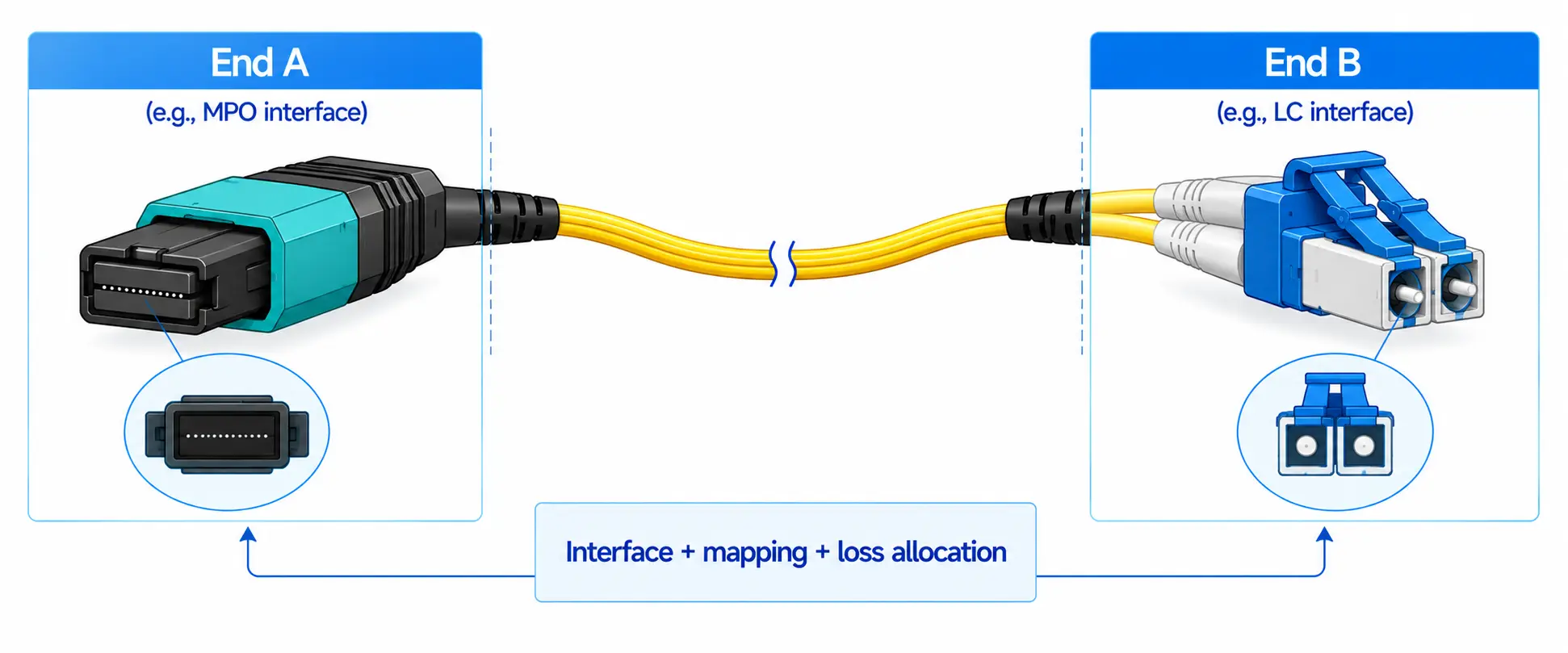
For a short 100G link inside the same rack, a passive QSFP28 DAC (direct attach copper) is usually the most practical choice. It gives you a simple electrical connection, almost no added power, and a factory-terminated cable you can plug in and forget.
A QSFP28 AOC (active optical cable) becomes the better option once the route gets longer, the rack is densely cabled, or you need a thinner, lighter cable to keep airflow clear. Active copper sits between the two, but only when the switch, network adapter, and cable have been validated together. And for permanent pathways that pass through patch panels or need future reconfiguration, separate optical transceivers plus structured fiber often beat an integrated AOC over the life of the link.
The rest of this guide turns that summary into a repeatable decision, with the parameters you actually have to confirm before ordering.
| Link requirement | Start with | Why |
|---|---|---|
| Short server-to-switch link, same rack | Passive QSFP28 DAC | Lowest complexity and usually the lowest installed cost |
| Same-rack link near the passive-copper limit | Validated passive DAC, active copper, or AOC | Host signal integrity and FEC start to matter more |
| Link between adjacent racks | AOC or validated active copper | Easier routing and more distance margin |
| Longer link within a row | QSFP28 AOC | Lighter cable, longer supported reach |
| Permanent pathway through patch panels | Transceivers plus structured fiber | Serviceable and reconfigurable |
| 100G port to four 25G servers | QSFP28-to-4×SFP28 breakout DAC or AOC | Uses the four 25G electrical lanes of the port |
| Dense GPU or HPC rack | Compare AOC and DAC at rack level | Airflow, weight, power, and routing all matter |
As a concrete vendor example, Cisco's 100GBASE QSFP-100G data sheet lists passive QSFP28 copper assemblies from 1 to 5 meters and integrated AOCs from 1 to 30 meters. NVIDIA offers QSFP28 AOC families at several fixed lengths as well. These are specific product offerings, not universal limits for every QSFP28 cable.

What a Passive QSFP28 DAC Actually Is
A passive QSFP28 DAC is a pre-terminated twinaxial copper cable with a QSFP28 connector on each end. It carries the 100G signal electrically and never converts it to light. A standard QSFP28 interface uses four high-speed electrical lanes at roughly 25 Gb/s each, and together those four 25G lanes carry the 100G link.
Each connector holds an EEPROM the host reads to identify the cable, but a passive DAC has none of the optical engines of an AOC or the signal-processing chips of active copper. That simplicity is the point.
Where passive DAC wins
It offers a low-complexity electrical connection, the lowest acquisition cost of the three, essentially no added power because there are no active electronics, and factory-terminated ends that install without separate transceivers. For server-to-Top-of-Rack links, it is usually the default.
Where it runs out of room
Copper attenuation grows with length, and available signal margin depends on cable gauge, host transmitter and receiver behavior, temperature, FEC, and connector quality. Longer copper is also thicker, heavier, and stiffer, so a dense bundle behind a switch can block airflow, load the ports mechanically, need wider cable managers, and make one-cable replacement awkward. A five-meter DAC is therefore never "automatically" compatible with every switch and NIC combination.
What a QSFP28 AOC Is, and What It Trades Off
A QSFP28 AOC puts an optical transmitter and receiver inside the connector heads. The electrical signal is converted to light, sent through fiber, and converted back at the far end. Unlike separate modules plus a removable patch cord, the optics and fiber ship as one factory-assembled, factory-tested link.
NVIDIA's LinkX AOC documentation describes these cables as lighter and more flexible than copper, allowing more airflow and longer reach, with the optics fully sealed inside so there are no MPO or LC end-faces to clean or scratch. In practice that means AOC is thinner than an equivalent copper assembly, easier to route in dense bundles, immune to electromagnetic interference along the fiber, and capable of more distance than passive DAC.
The trade-offs are real, though. An AOC needs power for its optics, costs more than passive copper, and is fixed in length at purchase. A damaged connector or optical engine usually means replacing the whole cable, it can't normally be broken out at a patch panel, and it has a specified minimum bend radius that thinness does not excuse. NVIDIA's cabling guidance is explicit that AOCs use fixed lengths, are not compatible with optical patch panels, and degrade if bent past the manufacturer's limit.
Active Copper: The Third Option
When a passive DAC can't quite reach but an optical cable feels like overkill, active copper may bridge the gap. It uses copper conductors with active electronics in one or both connectors that can equalize, amplify, retime, or convert the electrical lanes.
Watch the labels: active DAC, Active Copper Cable (ACC), and Active Electrical Cable (AEC) are used loosely and can describe different architectures, from simple analog conditioning to a redriver, a full retimer, or a lane-converting cable. They are not interchangeable just because they are all copper. And active equalization improves the copper signal, it does not turn the medium into fiber, so it does not provide optical isolation.
Because behavior depends on the exact part, active copper should be chosen by validated part number against the equipment compatibility matrix, matching the electrical interface, FEC mode, firmware, cable coding, and Ethernet or InfiniBand mode at both ends, never by connector type and advertised distance alone.
DAC vs AOC vs Active Copper: Side by Side
| Factor | Passive DAC | Active copper | AOC |
|---|---|---|---|
| Medium | Twinax copper | Copper plus active electronics | Optical fiber (commonly MMF for short reach; SMF variants exist) |
| Typical role | Very short same-rack links | Platform-specific intermediate links | Short-to-medium optical links |
| Added power | Essentially none | Higher than passive copper | Needs optical-engine power |
| Cable size | Thicker at longer lengths | Product dependent | Thin and lightweight |
| EMI | Not isolated | Not optically isolated | Isolated along the fiber; connector electronics remain electrical |
| Reach | Limited by copper loss | Product and platform dependent | Longer than passive DAC |
| Bend behavior | Copper can be stiff | Product dependent | Optical bend radius must be respected |
| Serviceability | Replace whole cable | Replace whole cable | Replace whole cable |
| Patch-panel use | No | No | Normally no |
| Best fit | Same-rack server links | Validated special cases | Inter-rack and dense installs |
The honest conclusion is that no cable is universally better. The right one depends on the whole link: the host ports, the real routed path, the FEC settings, cable density, how you service failures, and your upgrade plan.

What Actually Decides the Right Cable
Measure the routed path, not the straight line
The cable has to follow the vertical drop to the cable manager, the run to the top or bottom of the rack, the horizontal tray, entry into a neighboring rack, and a controlled service loop, then survive routing around power and cooling. Pick a standard length that covers that real path without leaving a large coil. Too little slack strains the connector; too much blocks airflow and makes tracing harder.
Confirm host compatibility and vendor coding
A QSFP28 plug fitting the port does not prove the cable is supported. Check the switch model and port, the NIC or adapter, the software release, the cable maker and part number, the EEPROM coding, and any third-party-optic policy. When two brands meet on one link, the cable may need different coding at each end, so ask the supplier for written confirmation of that exact end-to-end combination.
Get FEC right
Forward Error Correction often decides whether a link is stable, and not every QSFP28 cable uses the same mode. NVIDIA's cable management guidelines note, for example, that on 25/100GbE its longer copper cables (the CA-25G-L class, above 3 m) enable RS-FEC by default, while shorter cables (CA-25G-N, up to 3 m) do not require it. Cisco likewise specifies host-side FEC for its 100GBASE-CR4 copper family. So verify the required FEC mode, that both ports support it, whether it is set automatically or by hand, whether breakout lanes need a different setting, and whether every lane in a port group must match. A link can come up and still accumulate corrected or uncorrected errors, which is why validation has to include watching pre-FEC and post-FEC error counters under sustained traffic.
Read power figures carefully
Passive DAC adds essentially no power of its own; AOC and active copper both draw current for their chips. The trap is comparing raw watt numbers without checking what they describe. A vendor table may quote typical versus maximum power and, crucially, power per connector end versus power for the complete assembly. Before you total rack power, confirm which one each figure represents, otherwise a two-connector AOC can look deceptively cheap or expensive. Then check whether that load lands on one switch, splits across two racks, or piles onto an already tight cooling zone.
Respect airflow, weight, and bend radius
A cheap cable gets expensive if it makes a rack hard to cool or service. For DAC, check gauge, outer diameter, minimum bend radius, weight, maximum bundle size, port-side support, and cable-manager fit. For AOC, avoid tight bends, crushing, pulling by the connector, and unsupported weight. AOC is thinner and more flexible than most copper, but optical fiber still has a specified minimum bend radius; flexibility is not permission to fold it sharply behind a switch.
Compare total installed cost, not sticker price
The lowest cable price rarely gives the lowest lifecycle cost. Fold in power, cooling, cable managers, install labor, spares, troubleshooting time, the replacement procedure, likely topology changes, and downtime risk for critical links. Passive DAC usually holds the cost advantage for short, stable, same-rack links; AOC earns its premium when it clears cable congestion or enables a route copper can't reliably support.
Choosing by Deployment Scenario

Server to Top-of-Rack
For a server and a Top-of-Rack switch in the same rack, start with passive QSFP28 DAC. It is usually the most direct answer when the route is short, the cable is listed by both vendors, the FEC mode is supported, and the copper bundle won't obstruct airflow or stress the ports. Don't reach for AOC just because it's lighter; first decide whether the airflow and mechanical gains are worth the extra optical power and cost.
Leaf-to-spine and inter-rack links
Between adjacent racks, the real route decides. Validated active copper is worth a look when you're only slightly past passive-DAC range. AOC is usually preferable when the cable crosses several rack boundaries, the pathway is narrow or crowded, weight matters, the link is part of a critical fabric, you want distance margin, or electrical isolation helps. If the path runs through a permanent fiber distribution system, use separate transceivers and passive fiber rather than an AOC.
GPU and HPC clusters
Dense GPU and HPC racks are best decided at rack or cluster level, not one cable at a time. Weigh the total link count, bundle diameter, port-side airflow, cable weight, switch and adapter power budgets, replacement access, supported Ethernet or InfiniBand modes, and validated part numbers. AOC improves airflow and routing; passive DAC cuts power and cost. A common outcome is DAC for short server links and optical cables for the longer fabric hops. If you are also planning the next speed jump, the higher-density QSFP-DD form factor is worth understanding before you standardize a cabling layout.
100G to 4×25G breakout
A QSFP28 port holds four 25G electrical lanes, and a QSFP28-to-4×SFP28 breakout cable exposes them as four separate 25G links. Cisco, for instance, offers passive QSFP28-to-4×SFP28 copper splitters in several lengths. Before you use one, confirm the port supports 4×25G breakout mode, the target ports aren't restricted by a shared port group, the OS supports the configuration, each SFP28 end supports the chosen FEC mode, the lane mapping is documented, and all four legs have workable routed lengths. A physical breakout cable cannot force a port into breakout mode the hardware or software won't allow. If you would rather break out over fiber than copper, the rules differ, and an MPO breakout cabling guide covers that path.
Permanent structured cabling
For links that must survive several hardware generations, consider optical transceivers plus structured fiber instead of an integrated AOC. That is the better call when the route uses patch panels, crosses rows or rooms, must be tested and documented as permanent infrastructure, needs field-replaceable parts, may host different optics later, or may change length. Data-center backbones built this way typically rely on MPO/MTP trunk cabling, and choosing the connector system is its own decision, which an MTP vs MPO selection guide lays out. An AOC is simpler as a single assembly, but it is not a drop-in replacement for a structured fiber system.
A Worked Example: Validating a Link Before Rollout
Numbers on a data sheet don't prove a link, so here is the kind of check that does, with the specifics anonymized. A leaf switch (call it Switch A) was connected to a server NIC (Adapter B) over a 3 m passive QSFP28 DAC (part number C), both ports running the vendor's stable software release D, with RS-FEC enabled at each end.
After link-up at 100GbE, traffic ran for 24 hours while we watched the pre-FEC and post-FEC error counters. The link stayed up, corrected-error counts stayed flat rather than climbing, no uncorrectable errors appeared, and the connector stayed within a normal temperature range under load. Only then was that combination approved as a template for the rest of the rack. When a similar link "came up" but the pre-FEC counter kept incrementing under load, that was the signal to stop and recheck the part number and FEC configuration, not to ship it.
Common Mistakes That Break 100G Links
- Buying by straight-line distance. The real route is almost always longer than the gap between devices.
- Assuming every five-meter DAC will work. Maximum passive-copper length depends on the cable and both hosts; verify the exact part number and FEC mode.
- Mistaking SR4 reach for AOC reach. A 100GBASE-SR4 module can run 70 m over OM3 or 100 m over OM4, but an AOC ships in fixed factory lengths (Cisco's, for example, top out at 30 m). They are related optical technologies, not interchangeable specs, and the exact MMF grade sets the module's reach, as covered in this breakdown of OM3 and OM4 distance limits. The 100GBASE-SR4 PHY itself is defined in the IEEE 802.3bm amendment.
- Ignoring vendor coding. A physically correct cable can still be reported as unsupported by one end.
- Getting FEC wrong. The wrong mode can block link-up or leave a link that quietly accumulates errors under load.
- Treating active copper as optical isolation. Active electronics clean up the copper signal; they don't make it fiber.
- Forgetting breakout port restrictions. Not every QSFP28 port can split into four 25G interfaces, and some switches apply breakout settings to groups of ports.
Frequently Asked Questions
What is the maximum distance for a QSFP28 passive DAC?
There is no single figure for every platform. Many vendors offer passive QSFP28 DACs up to five meters, but supported reach depends on the cable design, host signal integrity, and FEC mode. Use the exact supported length listed for both connected devices.
Is a QSFP28 AOC better than a DAC?
Not universally. AOC wins when you need longer reach, lower cable weight, easier routing, or isolation along the fiber. Passive DAC usually wins for short same-rack links where cost, power, and simplicity come first.
Does a QSFP28 AOC require FEC?
It depends on the AOC and the host platform. Some vendors require RS-FEC for their QSFP28 AOCs. Verify the requirement on both ports rather than assuming optical transmission removes the need for FEC.
Can a QSFP28 port break out into four 25G ports?
Yes, when the port and software support 4×25G breakout mode. The cable alone cannot create breakout support; check the switch documentation for lane mapping, port groups, and FEC.
Can DAC or AOC connect equipment from different vendors?
Potentially, but the cable must be supported and correctly coded at both ends. For a mixed-vendor link, give the supplier the exact switch, router, NIC, or adapter model at each end and ask for written confirmation of dual-end compatibility.
Should I use an AOC or separate transceivers and fiber?
Choose an AOC for a simple, factory-terminated point-to-point optical link. Choose separate transceivers and passive fiber when you need patch panels, field replaceability, permanent cabling, or future reconfiguration. For longer single-mode runs, it also helps to understand the single-mode fiber types and their applications before you commit to a build.
The Bottom Line
Start with the topology, not the cable catalog. For a short, validated same-rack 100G link, passive QSFP28 DAC is normally the first choice. For longer, lighter, or more densely routed connections, a QSFP28 AOC is a practical integrated optical answer. Reach for active copper only when the exact cable and host combination is documented as compatible. And when the route is permanent, passes through patch panels, or has to support future change, separate transceivers and structured fiber usually deliver better lifecycle value than either DAC or AOC.
Before ordering, build a link-by-link cable schedule that records the device model at each end, the port speed and mode, the routed distance, the cable type and length, the vendor coding, the required FEC, the breakout configuration, the software version, and the validated part number. That single document is far more reliable than choosing a cable on distance or headline price alone.