Artificial intelligence is reshaping data center design. Most of the attention goes to GPUs, accelerators, and cooling, but the layer that quietly decides whether the rest of the build succeeds is the cabling. In an AI cluster, the physical layer determines whether you can actually reach 400G and 800G, whether high-speed links stay clean enough to pass traffic, whether airflow survives a fully populated rack, and whether your next speed jump is a card swap or a forklift upgrade.
This guide is written for infrastructure and optical-network teams. It explains what makes AI cabling different, the requirements that matter with real numbers, how to compare DAC, AOC, and structured fiber, a step-by-step planning workflow, what to prepare before a 400G or 800G migration, and a checklist you can actually use. The technical references here are based on current IEEE 802.3 and ANSI/TIA-942 standards.
Why AI Workloads Change Data Center Cabling Requirements
Traditional enterprise data centers were built around fairly predictable application traffic, much of it north-south, moving between users, applications, and external networks. AI clusters invert that pattern. During training and large-scale inference, the dominant flow is east-west: GPUs constantly exchange gradients and activations with one another through collective operations such as all-reduce, usually over a remote direct memory access (RDMA) fabric.
This is visible in vendor reference designs. NVIDIA builds the GPU compute network as an RDMA-based leaf-spine fabric using a rail-optimized topology so that any GPU is at most one hop from any other, which is what keeps multi-GPU communication efficient at scale. The cabling consequence is sheer port count: a single eight-GPU node can present eight 400G (or 800G) east-west ports, and a training pod with several leaf switches per rack multiplies trunk fiber and patching very quickly.
When the physical layer is under-planned, the problems do not show up on day one. They appear later, as congested pathways that choke airflow, as fault isolation that takes hours instead of minutes, and as rework during the first upgrade cycle. A detail that looks trivial, such as a reversed MPO polarity or a contaminated endface, can take an entire rail offline. For AI infrastructure, cabling belongs in the architecture from the start, not as the last task before commissioning.

Traditional vs AI-Ready Data Center Cabling
The gap between traditional and AI-ready cabling is a shift in design priorities, not just a larger cable count. Traditional designs optimize for today's connectivity; AI-ready designs optimize for speed migration, density, predictable link quality, and serviceability over multiple upgrade cycles.
| Design factor | Traditional data center cabling | AI-ready data center cabling |
|---|---|---|
| Traffic pattern | Predictable, often north-south heavy | Heavy east-west GPU-to-GPU traffic over RDMA fabrics |
| Speed planning | Sized for current network speeds | Planned for 400G and 800G, with a path toward 1.6T |
| Density | Moderate port and fiber density | High-density parallel fiber, base-8 and base-16 MTP/MPO |
| Cable management | Treated mainly as organization | Treated as part of airflow, uptime, and maintenance |
| Upgrade path | Often requires re-pulling cable | Modular: swap optics and cassettes, keep the fiber plant |
| Maintenance | Manual tracing, slower | Tested, labeled, documented, with defined pathways |
The aim is a fiber plant that can absorb at least one speed jump and one capacity expansion without a redesign.
Key Cabling Requirements for AI Data Centers
Plan the Physical Layer for 400G and 800G, Not Just Today's Speed
AI clusters move up the speed ladder fast, from 100G toward 400G, 800G, and eventually 1.6T. The 400G and 800G interfaces are now formally standardized: IEEE 802.3df, approved in 2024, defines the MAC, physical layer, and management parameters for 400 Gb/s and 800 Gb/s Ethernet, including physical media types such as 800GBASE-SR8 and 800GBASE-DR8. On the equipment side, 400G typically lives in QSFP-DD or QSFP112 form factors, while 800G uses OSFP or QSFP-DD800. If you are comparing transceiver packaging and lane mapping, this QSFP-DD technical overview is a useful starting point.
The practical rule: size fiber type, fiber count, and connector base so the plant survives the next jump. A trunk dimensioned only for today's port speed becomes the bottleneck the moment switch silicon and optics move forward.
Use High-Density MTP/MPO Fiber for GPU-Cluster Connectivity
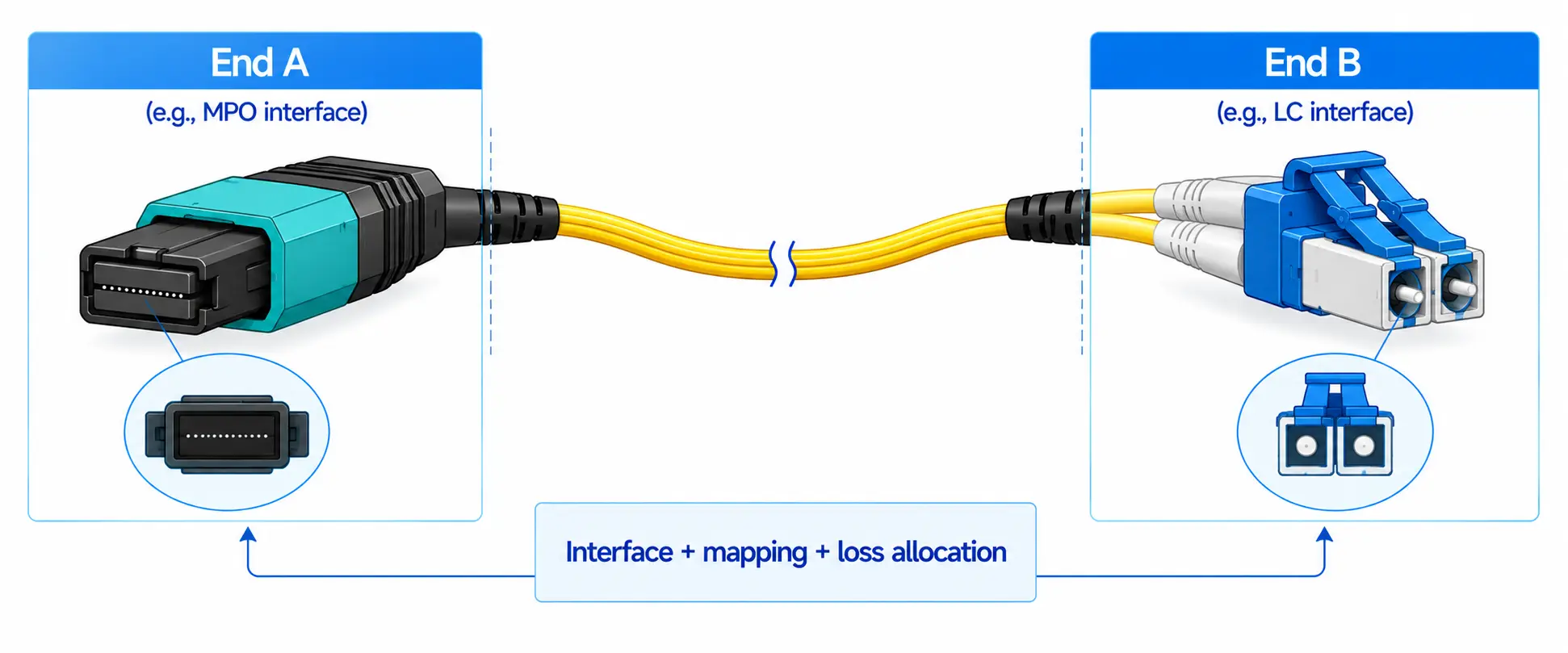
High-speed AI links are parallel optics, and parallel optics map directly onto fiber counts. A 400G-DR4 link uses four lanes, or eight fibers, commonly terminated in an MPO-12 ferrule. An 800G-SR8 or 800G-DR8 link uses eight lanes, or sixteen fibers, often an MPO-16 with APC endfaces. Base-8 and base-16 MTP/MPO trunks paired with cassettes consolidate hundreds of these links per rack and turn deployment into repeatable, factory-tested moves rather than field splicing. Pre-terminated MTP/MPO trunk cables and breakout assemblies (MPO to LC or MPO to MPO) are the backbone of this approach.
Density still has to be planned, not maximized. Packing fiber into a rack without thinking about pathway fill and airflow creates back-pressure on equipment exhaust and makes ports impossible to service. Set fill ratios and slack-management rules before, not after, the first install.

Manage Insertion Loss, Connector Cleanliness, and Polarity
High-speed AI optics are less forgiving than the links that came before them. The PAM4 signaling used at 400G and 800G runs on tighter channel loss budgets than older NRZ links, and every mated MPO or LC pair adds insertion loss, often a few tenths of a decibel per connection. Across a structured channel with several connection points and a length of fiber, that budget disappears quickly, so connector count is a design variable, not an afterthought. The distinction between insertion loss and return loss, and why both matter on parallel optics, is worth understanding before you finalize a channel; this explainer on insertion loss in fiber networks covers the mechanics.
Contamination is one of the leading causes of field link failures, so every endface should be inspected and cleaned before mating. Polarity needs an explicit scheme (Method A, B, or C), and single-mode parallel links generally use angled APC connectors to control return loss. Bend radius matters in dense panels, where bend-insensitive fiber buys margin. Reliability here is an installation and maintenance discipline as much as a component choice.
Design a Modular, Scalable Structured-Cabling Architecture
AI infrastructure changes on a short cycle, so a plant that is hard to modify slows every future deployment. Structured cabling, built from trunks, cassettes, enclosures, and defined pathways, lets teams add capacity or re-rail a fabric without re-pulling cable. ANSI/TIA-942 specifies the minimum telecommunications infrastructure requirements for data centers and a cabling topology meant to accommodate future applications, which is exactly the posture an AI build needs. With this foundation, most speed upgrades become a matter of swapping optics and cassettes rather than rebuilding the physical layer.
Route Cables for Airflow and Cooling in High-Density Racks
AI racks run hot. Power density in the densest GPU racks can exceed 100 kW, and at those levels congested cabling directly causes recirculation and localized hot spots. ASHRAE TC 9.9 guidance frames thermal control around the IT equipment inlet and a clean hot-aisle/cold-aisle separation, and cabling either supports that or works against it. In practice that means overhead fiber pathways where possible, clear separation of power and data, vertical and horizontal managers sized for the real cable count, disciplined slack, and routing that never blocks rear exhaust or a chimney cabinet. Cable management that keeps links traceable also cuts human error during moves and changes.

DAC, AOC, or Structured Fiber? An AI Data Center Cabling Selection Matrix
There is no single best medium for an AI cluster; the right choice is driven by reach and role. Inside a rack, short-reach copper still wins on cost, power, and latency. As links span rows and halls, single-mode fiber becomes the scalable backbone. The matrix below compares the common options the way a design review actually weighs them.
| Option | Typical reach | Typical speed | Where it fits | Media and connector | Cost and power | Best-fit use case |
|---|---|---|---|---|---|---|
| Passive DAC | Up to about 3 m | Up to 400G (for example 400G-CR8) | Intra-rack and adjacent-rack top-of-rack | Twinax copper, integrated ends | Lowest cost, lowest power, lowest latency | GPU or server to leaf within the same or next rack |
| AOC | A few meters to roughly 30 m, longer in some cases | 400G and 800G | Within a row, across nearby racks | Multimode core, fixed transceiver ends | Low power, no field endface cleaning | Permanent server-to-leaf links beyond DAC reach |
| Multimode structured fiber (OM4/OM5) | Tens of meters, up to about 100 m, shorter at 800G | 400G and 800G SR/VR | Leaf-spine within a hall | OM4/OM5 with MTP/MPO and LC | Reusable and serviceable | Short leaf-to-spine and row-to-row links |
| Single-mode structured fiber (OS2) | 500 m to 2 km (DR/FR), up to 10 km (LR) | 400G and 800G DR/FR/LR | Spine, cross-room, cross-building | OS2 with MTP/MPO (APC) and LC/APC | Highest reach and scalability | Spine uplinks, cross-hall and larger GPU fabrics |
This is also why a blanket statement like "fiber is always preferred" needs a caveat: fiber is the scalable foundation for the fabric, but a passive DAC is still the better engineering choice for a one-meter hop inside a rack.
How to Plan AI Data Center Cabling, Step by Step
Step 1: Map the AI Workload and Network Topology
Start with the workload. A large training pod, a high-throughput inference fleet, an HPC cluster, and a storage-heavy deployment do not share the same traffic profile. Then map where the GPU compute (east-west), storage, north-south, and out-of-band management networks connect. A pure inference deployment may not need a large east-west fabric at all, while a multi-rack training pod will. Design to the actual traffic flow, not just the rack elevation.
Step 2: Lock Current and Future Speed Targets
Define both the first phase and the next one. If a pod runs 400G today and 800G next year, the fiber plant has to be sized for 800G now. Beyond that horizon, the work on terabit-class Ethernet is already underway: the IEEE P802.3dj task force is defining 200G, 400G, 800G, and 1.6 Tb/s operation using 200 Gb/s-per-lane signaling. Knowing where the roadmap is heading tells you how much fiber count and pathway capacity to reserve.
Step 3: Select Media and Connectors With Margin
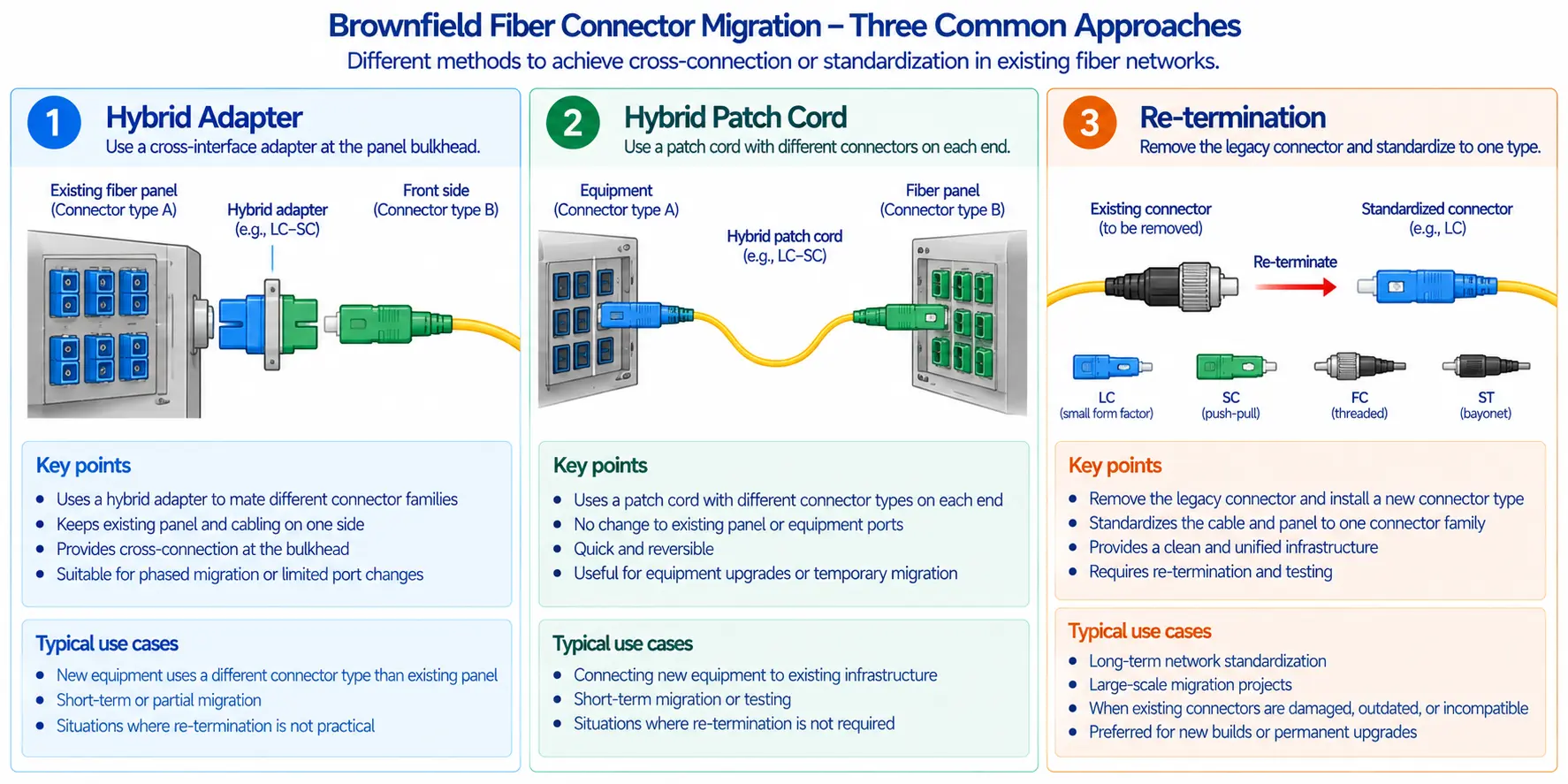
The OS2-versus-OM4 question is mostly a reach question. OM4 is fine for sub-100 m leaf-spine links, but reach shrinks as speed rises, so once links cross rows or halls, or once you want 800G DR/FR headroom, single-mode OS2 is the safer foundation. Reviewing the distance limits of OM1 through OM5 multimode fiber makes the trade-off concrete. Match the MPO base (12 versus 16) to the optic's fiber map, and plan polarity early; for high-density panels this MTP vs MPO selection guide covers the differences that matter. Where a transceiver and port speed do not line up, plan breakouts (MPO to LC) rather than improvising at install time.
Step 4: Plan Rack Density, Pathways, and Airflow Together
Rack layout, cable routing, and cooling are one decision in a high-density AI environment, not three. Before installation, count how many cables enter and leave each rack, decide where patch panels sit, plan slack, and confirm a technician can reach and replace a port without disturbing live links. Leave growth headroom in trays and fill ratios. A rack that looks clean at commissioning becomes unserviceable after two upgrade cycles if the pathways were maxed out on day one.
Step 5: Test, Document, and Maintain to Spec
Test every link to the project specification, which for high-speed fiber means insertion-loss testing, OTDR where appropriate, polarity verification, and endface inspection. Document every port, trunk, cassette, and pathway, including the polarity scheme, length, and measured loss, with labels that map to as-built drawings. Maintenance then becomes routine: endface cleaning, periodic audits, and label and change control. Following sound fiber optic cable installation practice for pulling tension and bend radius protects the loss budget you tested for.
What to Prepare Before a 400G or 800G Migration
Migrations fail on the physical layer more often than on the optics. Before you cut over, work through the following:
- Confirm fiber type and count, and verify that existing OM4 still reaches at the target speed, because supported distance drops as the line rate rises.
- Check that the connector base matches the new optics (MPO-12 versus MPO-16) and that the polarity scheme still holds end to end.
- Recompute the link loss budget for PAM4, then reduce connection count where you can and re-inspect every endface.
- Confirm pathway and tray capacity for the added cabling, and confirm rack thermal headroom for higher-power optics.
- Stage cassettes, trunks, labels, and a test plan in advance so the cutover is a swap-in, not a re-pull.
Common Mistakes to Avoid
Sizing only for today's bandwidth. A plant built for current speeds dates quickly. Build in a realistic path to higher speed and higher port density.
Treating cable management as cosmetics. Neat cabling is useful, but management is really about airflow, access, and fault isolation, not appearance.
Sacrificing maintenance access for density. High-density is not "as compact as possible." If a technician cannot safely trace and replace a connection, the design will cost you during real operations.
Buying components in isolation. Cables, connectors, panels, transceivers, racks, and pathways form one channel. A part that looks cheap on its own can cap the whole fabric when it scales.
AI-Ready Cabling Readiness Checklist
Work through these before scaling GPUs. Each item has a concrete pass condition, not a vague yes or no.
- Speed headroom: Can the installed fiber support at least one speed jump (for example 400G to 800G) without re-pulling, and is fiber count sized to the optic's lane map (eight or sixteen fibers)?
- Loss budget: Is each high-speed channel inside its PAM4 insertion-loss allowance, with connection count and endface inspection verified?
- Density versus service: Can a technician reach, trace, and replace any port without disturbing a live rail?
- Airflow: Do pathways keep rear exhaust and aisle containment clear, and are power and data separated?
- Documentation: Is every link tested and recorded with its polarity scheme, length, and loss, and labeled to match as-built drawings?
- Scale: Does the leaf-spine, rail-optimized topology extend to the next pod without a redesign?
- Media fit: Is each link's medium chosen by reach, speed, thermal impact, and serviceability, with DAC in-rack and OS2 across halls?
If several answers are no, redesign the physical layer before AI workloads scale, not after the first expansion.
FAQ
Q: What cabling do 400G and 800G AI networks need?
A: They run on parallel optics over MTP/MPO fiber. A 400G-DR4 link uses eight fibers, commonly an MPO-12, while 800G-SR8 or 800G-DR8 uses sixteen fibers, often an MPO-16 with APC. OM4 or OM5 covers short reach, OS2 covers longer reach, and passive DAC handles the shortest in-rack hops. The interfaces themselves are defined in IEEE 802.3df.
Q: Is single-mode or multimode fiber better for AI data centers?
A: It depends on distance. Multimode OM4 or OM5 is cost-effective for leaf-spine links under roughly 100 m, but supported distance shrinks at 800G. Single-mode OS2 is the better foundation once links cross rows or halls, or when you want 800G DR/FR reach and future 1.6T headroom. Many large fabrics standardize on OS2 for that reason.
Q: When should an AI data center use DAC, AOC, or optical transceivers?
A: Use passive DAC for links up to about three meters inside or between adjacent racks, where it gives the lowest cost, power, and latency. Use AOC for permanent links from a few meters to roughly tens of meters. Use pluggable transceivers with structured fiber when you need reach, reuse, and the ability to service the link.
Q: How do you calculate a cabling loss budget for high-speed links?
A: Start from the channel insertion-loss allowance the transceiver standard specifies (for example 800GBASE-SR8 or 800GBASE-DR8). Subtract fiber attenuation multiplied by length, plus the loss of each mated connector pair, which is often a few tenths of a decibel, plus any splices, and keep margin in reserve. PAM4 budgets are tighter than older NRZ links, so connection count and endface cleanliness directly decide whether a channel passes.
Q: How does cabling affect cooling in high-density AI racks?
A: Congested cable bundles obstruct airflow, create back-pressure on equipment exhaust, and cause recirculation and hot spots, which matters at GPU rack densities that can exceed 100 kW. Overhead pathways, separated power and data, properly sized managers, and routing that keeps exhaust and containment clear all protect the cooling design.
Q: Is copper still suitable for AI data centers?
A: Yes, for short in-rack and adjacent-rack connections, where DAC is the efficient choice. High-density and longer runs move to fiber for bandwidth, reach, and scalability.
Q: Why are MTP/MPO connectors common in AI cabling?
A: They carry eight to twenty-four fibers in a single ferrule, which is exactly what parallel optics need, and they enable pre-terminated trunks for fast, repeatable, high-density installs.
Key Takeaways
AI workloads are rewriting data center cabling requirements around higher bandwidth, denser parallel fiber, tight loss budgets, airflow-aware routing, and short upgrade cycles. The physical layer will not make GPUs faster on its own, but the wrong one caps the performance, reliability, and upgrade speed of the entire environment.
The safest design principle is to plan the fiber plant, pathway capacity, patching architecture, and documentation model before the GPU racks land, not after the first expansion cycle. Build for at least one speed jump, choose media by role rather than by habit, and treat connector cleanliness, polarity, and airflow as first-class design constraints. Before deploying or expanding, review your current cabling against the checklist above; for structured cabling and MTP/MPO components, explore our fiber optic solutions.