A 10G home fiber network is one of the most useful upgrades for anyone who moves large files daily, runs a NAS, edits high-resolution video, operates a homelab, or wants a future-ready wired backbone between rooms. It is also one of the easiest projects to overspend on, because most homes do not need every device to run at 10G.
The short answer: you need a 10G SFP+ switch, a router or firewall with at least one 10G port, SFP+ transceivers, LC duplex fiber patch cables, and 10G NICs only on the devices that actually generate heavy local traffic - typically your NAS, workstation, or server. Everything else can stay on 2.5G, 1G, or Wi-Fi.
This guide walks through how to plan, choose, install, and test a 10G home fiber network without turning a home into a data-center-style project.
What You Need for a 10G Home Fiber Network
For most homes, a practical 10G fiber setup includes:
- A 10G SFP+ switch as the core switch
- A router or firewall with at least one 10G WAN or LAN port
- SFP+ optical transceivers (SR or LR) for each fiber link
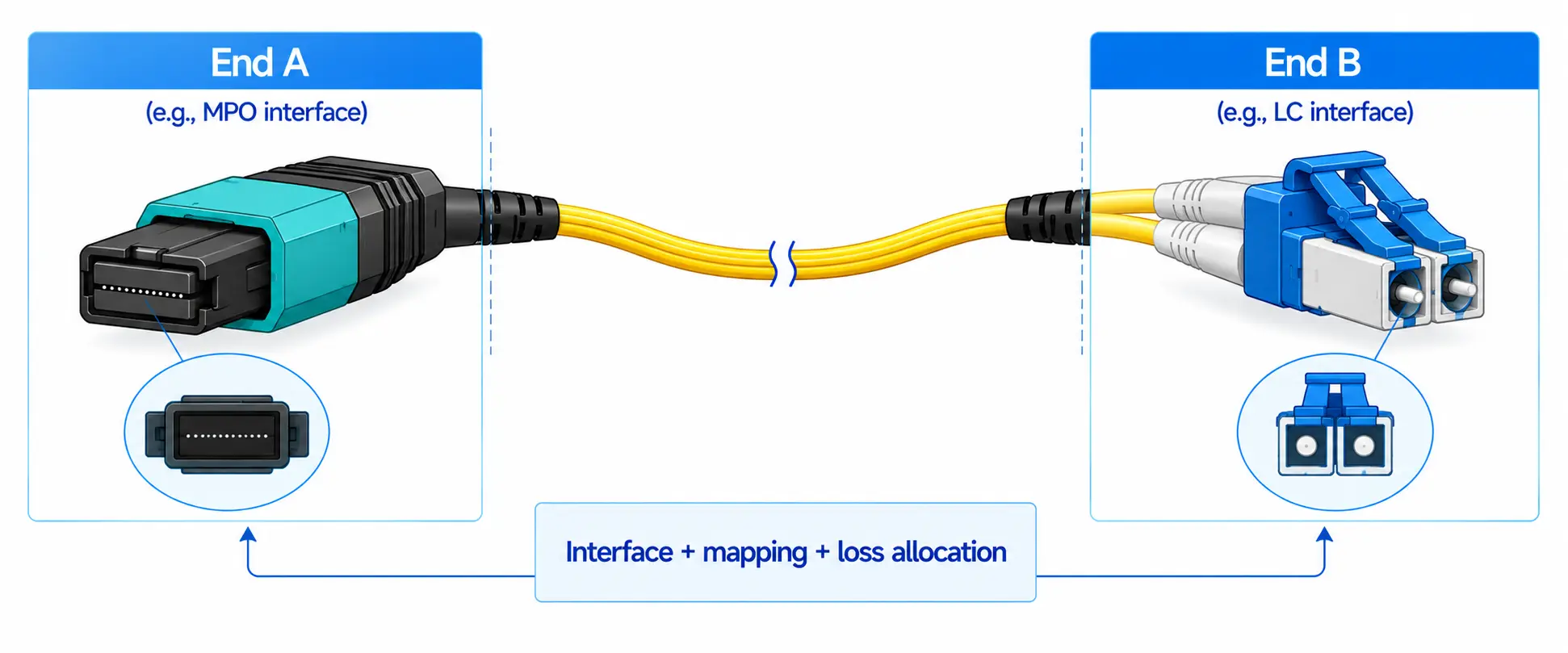
- LC duplex fiber patch cables matched to the transceiver type
- 10G NICs for high-bandwidth devices (NAS, workstation, server, editing PC)
- A PoE or multi-gig switch for Wi-Fi access points, cameras, and smart home devices
- VLAN-capable hardware if you want to separate work, IoT, cameras, and guest traffic
A good 10G design is almost never "10G everywhere." It is a mixed-speed network: 10G for the backbone and the heavy devices, 2.5G or 5G for access points and modern desktops, 1G for ordinary wired devices, and Wi-Fi for phones and tablets.

10G LAN vs 10G Internet: What's the Difference?
A 10G home network is not the same as a 10G internet plan. If your ISP delivers 1 Gbps to the door, a 10G LAN will not make websites load at 10 Gbps. What it changes is traffic inside the home - for example, copying a 200 GB project file from your NAS to your editing PC, restoring a Time Machine backup, or accessing a homelab VM.
This distinction matters because most 10G upgrades pay off internally first. Many homes benefit from 10G between two or three devices long before their internet plan reaches anything close to 10G.
Do You Really Need 10G at Home?
Before buying anything, identify the bottleneck you actually want to remove. 10G is worth the investment if you regularly:
- Transfer large files between devices (photo libraries, raw video, VM images, backups)
- Use a NAS as active working storage rather than just a backup target
- Edit 4K or 8K footage directly off shared storage
- Run multiple virtual machines or self-host services
- Operate two or more high-performance workstations
- Need a reliable wired backbone between a network closet, office, and detached studio
If most of your traffic is web browsing, streaming, gaming, cloud storage, and Wi-Fi devices, you probably do not need 10G yet. A 2.5G or 5G upgrade often delivers more value for less money, since it can frequently run on existing Cat5e/Cat6 cabling. The IEEE 802.3bz standard (developed alongside the Ethernet Alliance's NBASE-T work) supports 2.5 Gbps and 5 Gbps over installed Cat5e and Cat6 up to 100 meters, which makes it the lower-disruption upgrade path for most households.
10G Fiber vs Cat6A vs 2.5G/5G Ethernet: Which Is Best for Home Use?
Choosing the cabling path is the single most consequential decision in this project, because it determines what hardware you can use later.
| Option | Best for | Strengths | Limitations |
|---|---|---|---|
| 10G fiber with SFP+ | Backbone links, NAS, servers, workstations | Low latency, stable, longer reach, generally lower power and heat at the switch | Requires SFP+ modules and matching fiber |
| 10GBASE-T copper (Cat6A/Cat7) | Existing RJ45 environments, short runs | Familiar connector, plug-and-play with most desktops | Higher power draw and more switch heat per port |
| DAC (direct attach copper) | Same-rack switch-to-server links | Cheap, simple, no separate optics | Limited to about 3–7 m, not suitable for in-wall runs |
| AOC (active optical cable) | Short-to-medium fixed links | Pre-terminated, lighter and more flexible than DAC | Fixed length, ends cannot be swapped |
| 2.5G/5G Ethernet | Wi-Fi APs, modern desktops, existing Cat5e/Cat6 homes | Often works on existing cabling, cost-effective | Not full 10G |
For a deeper comparison of copper and SFP+ paths, this 10GBASE-T and SFP+ comparison guide is a useful next step, especially if you are still deciding between an RJ45 switch and an SFP+ switch.
In practice, the smartest home design mixes all of these: fiber for the backbone, DAC for short rack links, 2.5G/5G for access points and desktops, and 1G or Wi-Fi for everything else.

10G Home Fiber Network Equipment Checklist
1. Router or Firewall
The router connects your home to the internet and (usually) handles inter-VLAN routing. You only need a 10G router if your internet plan, firewall throughput, or VLAN routing actually demands it. If your internet is 1 Gbps, the router does not need to push every internal 10G transfer - local NAS-to-PC traffic stays on the switch.
Useful features to check: at least one 10G WAN or LAN port, VLAN support, hardware-accelerated firewall throughput matching your ISP speed, and reasonable VPN performance if you work remotely.
2. 10G SFP+ Switch (the most important piece)
The switch is the heart of a 10G home fiber network. In most home NAS setups, the first useful 10G links are NAS-to-switch and workstation-to-switch - not router-to-every-device - so the switch is where the money belongs.
What to weigh:
- Number of SFP+ ports (4-port is enough for a NAS + workstation; 8-port suits a homelab; 12+ for multi-room backbones)
- Mix of SFP+ and RJ45 ports if you have a couple of 10GBASE-T devices
- Fanless or quiet operation if the switch lives near a desk or bedroom
- Power consumption (matters for fanless models and electricity bills)
- VLAN, link aggregation, and management interface
- PoE only if you also plan to power APs or cameras from the same box
A common, reliable pattern is one quiet SFP+ switch as the core and a separate PoE switch for cameras, APs, and smart-home gear.
3. SFP+ Transceivers
SFP+ modules plug into SFP+ ports and convert electrical signals into light. The four common types you'll see are:
- 10GBASE-SR - short reach over multimode fiber
- 10GBASE-LR - long reach over single-mode fiber
- 10GBASE-T SFP+ - copper RJ45 in an SFP+ form factor
- DAC - switch-to-server inside a rack
According to IEEE 802.3 Ethernet specifications, 10GBASE-SR is designed for short multimode runs typically up to a few hundred meters, and 10GBASE-LR supports up to 10 km over single-mode fiber. Vendor data sheets (Cisco, Arista, Intel, MikroTik) typically list 300 m on OM3 and 400 m on OM4 for 10GBASE-SR, both of which are far beyond any home distance - so for in-home links, your real concern is matching, not reach. For more on which optic fits which fiber, see this single-mode vs multimode SFP guide.
4. Fiber Patch Cables
Most 10G SFP+ links in a home use LC duplex connectors. The realistic choices are:
- OM3 or OM4 multimode - short indoor 10G runs paired with SR optics
- OS2 single-mode - longer runs, future-proof structured cabling, paired with LR optics
- Armored or ruggedized patch cables - wherever the cable is exposed to bending, pinching, or pet damage
- Pre-terminated assemblies - easier than field termination for most homes
For the multimode vs single-mode trade-off, the practical guidance is that OM3/OM4 carries 10G comfortably for any room-to-room run in a normal home, while OS2 single-mode only becomes interesting if you are running between buildings, planning a 25G/40G/100G upgrade later, or installing structured cabling you don't want to touch again for ten years.
For in-wall installation, follow local building codes and use the correct jacket rating - generally plenum (CMP) for air-handling spaces, riser (CMR) for between floors, and general purpose (CM) elsewhere. If you're unsure, hire a qualified low-voltage installer; the cost of a callback is usually less than the cost of pulling a non-rated cable out of a wall later.
5. 10G NICs for PCs, Servers, and NAS
A 10G switch will not make any device faster on its own. The device also needs a 10G network adapter. Before buying a NIC, check:
- An available PCIe slot with enough lanes (most 10G NICs need PCIe x4 or x8)
- Driver support for your OS (Intel X550/X710 chipsets are widely supported; some cheap cards have weak driver support on macOS or BSD)
- SFP+ vs RJ45 - match this to your switch and cabling plan
- Heat: 10GBASE-T cards run hot; make sure your case has airflow
- Transceiver compatibility - some switches and NICs accept any coded SFP+, others lock to vendor modules
6. Wi-Fi Access Points and PoE Switches
Phones and laptops will keep using Wi-Fi. The 10G fiber network is the wired backbone behind the wireless network. Modern APs (Wi-Fi 6/6E/7) usually have a 2.5G or 5G uplink - a 10G AP uplink is rarely useful in a home. Note that fiber itself does not carry PoE, so PoE devices still terminate on copper Ethernet.
How to Choose Fiber Cables and SFP+ Modules
Multimode vs Single-Mode Fiber
Multimode (OM3, OM4) paired with 10GBASE-SR is the default for indoor home 10G links - it is cheaper, the optics are cheaper, and the reach (hundreds of meters) is overkill for any room-to-room run. Single-mode (OS2) paired with 10GBASE-LR makes sense for cross-building runs, detached studios, or when you want the cable plant to outlast your current optics. For typical reach numbers, this OM1–OM5 multimode distance reference is a useful sanity check.

10GBASE-SR vs 10GBASE-LR: a simple rule
- 10GBASE-SR + OM3/OM4 multimode → short indoor links
- 10GBASE-LR + OS2 single-mode → long runs or single-mode infrastructure
Do not mix SR optics with single-mode fiber, or LR optics with multimode fiber, unless a vendor explicitly documents the combination. The single most common buying mistake on home 10G builds is a transceiver/fiber/connector mismatch - the link either won't come up at all or will run with high error counts.
DAC and AOC
A DAC is a copper twinax cable with SFP+ ends pre-attached. It is great for switch-to-server inside a rack - cheap, simple, no optics. An AOC is the same idea but with optics built into both ends. AOCs are easier than buying separate optics + fiber, but the ends are fixed, so they do not fit structured cabling.
How to Build a 10G Home Fiber Network
Step 1: Map your devices
Make a list. Mark each device 10G, 2.5G/5G, 1G, or Wi-Fi. Typical 10G candidates: NAS, main workstation, home server, editing PC, backup target. Typical non-10G devices: smart TVs, consoles, printers, smart-home hubs, cameras, phones, tablets. This single step prevents most "I bought too many 10G ports" mistakes.
Step 2: Pick a central network location
Network closet, utility room, office rack, basement, or media cabinet - somewhere with power, ventilation, and a path for cables. Avoid placing fan-cooled switches in bedrooms unless you've confirmed the noise level is acceptable.
Step 3: Decide which links need 10G
Build a 10G backbone, not a 10G everything. A typical layout:
- NAS → core switch: 10G
- Workstation → core switch: 10G
- Server → core switch: 10G
- Router → core switch: 10G only if WAN or inter-VLAN routing demands it
- APs → PoE switch: 2.5G or 5G
- TVs, printers, smart devices: 1G or Wi-Fi
Step 4: Choose the cabling for each link
For each line on your map, decide: fiber/DAC/AOC/copper, SR or LR, OM3/OM4 vs OS2, length, connector, and indoor jacket rating. For the great majority of home offices and NAS setups, short OM3/OM4 LC duplex with SR SFP+ is the right answer.
Step 5: Install hardware in this order
- Router or firewall
- Core 10G switch
- PoE or access switch
- NAS, server, and workstation NICs
- SFP+ transceivers
- Fiber patch cables
Label both ends of every fiber cable. This sounds trivial. It saves hours during troubleshooting. For pulling and dressing fiber, this fiber optic cable installation guide covers bend radius, pull tension, and protection - the practical mistakes that ruin a brand-new run.
Step 6: Configure the network
Start minimal: IP addressing, DHCP, DNS, firewall rules, switch management access, firmware updates, and admin passwords. Then layer on the things you actually need.
VLANs are worth it as soon as you have IoT or cameras you don't fully trust, or guests on your Wi-Fi. NAS and workstation usually live in the same VLAN at home - putting them in separate VLANs forces local 10G traffic through the router, which often becomes the bottleneck. Link aggregation only helps if your NAS has multi-session traffic from several clients; a single workstation will not see 20 Gbps from a 2x10G LAG. Jumbo frames (MTU 9000) help certain NAS workloads, but only if every device on the path supports them and is configured the same way - a single mismatched device will silently drop or fragment frames.
Step 7: Test speed and stability
Don't trust the link until you've measured it. Check link speed on every switch port, transceiver temperature (most managed switches expose this via DDM), error counters, and end-to-end throughput.
Use iperf3 between two wired devices to measure raw network throughput, separate from disk speed. A useful diagnostic pattern:
- iperf3 shows ~9.4 Gbps end-to-end → network is healthy
- iperf3 is fine but file copy stalls at 450 MB/s → bottleneck is storage (HDD array, single SSD limits, SMB tuning, CPU)
- iperf3 itself caps at 2 or 5 Gbps → check NIC driver, switch port auto-negotiation, transceiver compatibility, and cable polarity
- Link won't come up → check optic vs fiber type, LC polarity, switch vendor lock on transceivers

Recommended 10G Setup by User Type
| User type | Practical setup |
|---|---|
| NAS + single workstation | 4-port SFP+ switch, 10G on NAS and workstation, everything else 1G/Wi-Fi |
| Photo/video editor | NAS, editing PC, and backup server on 10G; APs on 2.5G/5G |
| Homelab user | 8-port SFP+ switch with VLANs; server, NAS, and main desktop on 10G |
| Multi-room or multi-floor home | OM4 or OS2 fiber backbone between zones; access switch in each remote area |
Example 10G Home Fiber Network Layouts
Example 1: Simple NAS and workstation
Best for photographers, video editors, and home-office users. ISP modem/ONT → router → 10G SFP+ switch. NAS on 10G, workstation on 10G, AP on PoE switch or router, everything else on 1G or Wi-Fi. This is the cheapest setup that actually moves the needle: workstation-to-NAS gets dramatically faster, and nothing else changes.
Example 2: Homelab
VLAN-capable router/firewall → 10G SFP+ core switch. NAS, virtualization host, and main desktop on 10G. Separate VLANs for lab, home, IoT, and guest. PoE switch hangs off the core for APs and cameras. The focus here is segmentation and high-speed storage access for VMs.
Example 3: Large or multi-zone home
Central network closet with router and core switch. Fiber backbone (OM4 or OS2) to office, media room, and detached studio. Access switch in each remote area. PoE switch for APs and cameras. 10G appears only where it earns its place; everything else aggregates on 1G or 2.5G.
Common Mistakes to Avoid
- Confusing internet speed with LAN speed. 10G LAN improves local transfers, not your 1 Gbps internet.
- Buying 10G for every device. Most clients can't use it. Concentrate 10G on NAS, workstations, servers, and the backbone.
- Mismatching modules and fiber. SR with multimode, LR with single-mode. Confirm connector type (LC duplex), polarity, and length before ordering.
- Ignoring noise and heat. Some 10G switches were designed for data centers and sound like one. Check fan curves and TDP before placing the switch near a workspace.
- Expecting Wi-Fi to deliver wired 10G. Wi-Fi performance depends on standard, channel width, signal quality, client capability, and AP placement - none of which a fast wired backbone fixes on its own.
- Testing only with file copy. File-copy speed is limited by storage, CPU, encryption, and SMB/NFS overhead. Measure the network with iperf3 and the storage separately.
- Skipping cable jacket ratings. Plenum, riser, and general-purpose are not interchangeable, and inspectors do check.
FAQ
Q: Do I need 10G internet to build a 10G home fiber network?
A: No. A 10G LAN improves local traffic - NAS access, backups, media editing, virtualization - even if your internet plan is 1 Gbps. The two are independent.
Q: Is fiber better than Cat6A for a 10G home network?
A: For backbone runs and longer distances, fiber generally wins on stability, latency, and per-port heat at the switch. Cat6A wins on convenience when you already have RJ45 cabling and devices. The right answer depends on existing cabling, device ports, distance, and budget.
Q: Should I use single-mode or multimode fiber at home?
A: Multimode (OM3/OM4) is the standard answer for indoor home 10G - it is cheaper end-to-end and the reach is more than enough. Single-mode (OS2) is worth the premium if you want a future-proof cable plant for 25G/40G/100G later or are running between buildings.
Q: Is OM3 or OM4 better for a 10G home network?
A: For room-to-room distances, OM3 and OM4 both deliver 10G with margin to spare. OM4 has better dB-loss headroom and is a small step up in future-proofing if you may run 40G or 100G short-reach optics later, but for pure 10G in a home, OM3 is sufficient.
Q: Should I choose SFP+ or RJ45 for a 10G switch?
A: SFP+ tends to run cooler, quieter, and more flexibly (DAC, SR, LR all in the same port). RJ45 is more convenient if your endpoints already have 10GBASE-T NICs. Many home builds end up mixed: SFP+ core with one or two RJ45 ports for legacy devices.
Q: How many 10G ports do I actually need?
A: Count the devices that generate heavy traffic, not the ones that receive it. A NAS, a workstation, and a server is three. Add one for the router uplink if it's 10G-capable, and one or two for future expansion. Most home networks land at 4–8 SFP+ ports.
Q: Can I mix 10G, 2.5G, 1G, and Wi-Fi in one home network?
A: Yes - and you should. Mixed-speed is the most cost-effective and reliable home design. 10G for the heavy backbone devices, 2.5G/5G for APs and modern desktops, 1G for ordinary wired devices, Wi-Fi for everything mobile.
Q: Why is my 10G network not reaching full speed?
A: Run through the list in order: storage speed (the most common cause), NIC driver, cable or transceiver mismatch, switch port auto-negotiation, port temperature, jumbo-frame mismatch, CPU during transfer, and whether your test traffic is being routed through the firewall instead of switched locally.
Final Thoughts
A 10G home fiber network is worth building when you have real local bandwidth needs - NAS workflows, media production, homelab servers, fast backups, or a high-speed wired backbone between rooms. The best setup is rarely the most expensive one; it is the one that places 10G exactly where it removes a real bottleneck.
Start with a device map. Choose a quiet, reliable 10G SFP+ switch as the core. Match transceivers and fiber carefully. Test every link with iperf3 before depending on it. For most homes, the ideal result is a hybrid network: 10G fiber for the backbone, 2.5G/5G for access devices, and 1G or Wi-Fi for everything else.