In a GPU cluster, the network is not a supporting layer - it decides whether expensive accelerators compute or sit idle waiting for data. AI cluster networking directly shapes training speed, GPU utilization, and job completion time, and it behaves very differently from a general-purpose data center network. This guide covers how to design a lossless fabric for GPU workloads: topology, RoCEv2 configuration, 400G/800G optics and cabling, and the validation that separates a fabric that passes a bandwidth test from one that actually finishes training jobs on time.
AI Cluster Network Design
A well-built AI cluster fabric separates frontend and backend traffic, uses a non-blocking or low-oversubscription leaf-spine topology for the backend, runs RoCEv2 with PFC, ECN, and DCQCN tuned so ECN acts before PFC, spreads large flows with congestion-aware load balancing instead of default ECMP alone, standardizes on 400G today with a clear path to 800G, and is validated with telemetry correlated against AI-like collective traffic - not just simple throughput tests.
AI Cluster Network Design at a Glance
| Decision | Recommended default |
|---|---|
| Traffic domains | Separate frontend and backend fabrics |
| Backend topology | Leaf-spine, non-blocking or low oversubscription |
| Transport | RoCEv2 with PFC + ECN + DCQCN |
| Load balancing | Congestion-aware / dynamic, not default ECMP alone |
| Port speed | 400G now, with a planned 800G migration |
| Validation | Telemetry plus collective (NCCL) traffic, not only iperf |

What Is AI Cluster Networking?
AI cluster networking is the high-performance fabric that connects GPU servers, storage, management nodes, and sometimes multiple data center domains for training or inference. A single cluster carries several traffic types - GPU-to-GPU communication, RDMA between servers, storage reads and writes, dataset ingestion, checkpointing, logging, and orchestration - but the most performance-sensitive part is the backend training fabric that carries GPU-to-GPU traffic during distributed training. When that fabric is slow or unpredictable, GPUs wait instead of compute.
That is why an AI fabric is judged differently from a normal data center network. Raw bandwidth matters, but so do latency consistency, congestion behavior, packet loss, telemetry depth, topology, and even optical power consumption.
Why AI Workloads Stress the Network Differently
Distributed training synchronizes constantly
Large models train across many GPUs that exchange gradients and activations in coordinated phases - collective patterns such as All-Reduce and All-to-All. The consequence is blunt: the slowest path can delay an entire training step. Even if 99% of links are healthy, one congested rack-to-spine link can turn a GPU into a straggler that everyone else waits for.
Tail latency wastes GPUs, not average latency
Average latency is the wrong metric here. Because a synchronization step waits for the last GPU to arrive, a handful of delayed packets can hold back the whole job. On a 256-GPU cluster, a single hot spine link that adds tail latency to one rail can drag down utilization across the job.
AI traffic is made of elephant flows
Traditional networks juggle many small flows; AI clusters generate a few large, long-lived GPU-to-GPU flows. Default ECMP hashing distributes flows, not bytes, so when several elephant flows hash onto the same rack-to-spine link, that link turns hot while parallel links sit idle - producing queue buildup, latency spikes, and eventually drops. Higher port speed does not fix this on its own: a 400G link still congests if elephant flows hash poorly onto it.
Packet loss is especially expensive
Ordinary TCP tolerates loss; RoCEv2-based RDMA does not. The fabric is expected to behave as low-loss or lossless, and drops during congestion can collapse RDMA performance. This is the whole reason a RoCEv2 fabric needs deliberate lossless engineering rather than best-effort forwarding.
Core Requirements for an AI Cluster Network
A good backend fabric has to satisfy several requirements at once: high bisection bandwidth so many GPUs can talk simultaneously without the fabric becoming the bottleneck; low and predictable latency, since occasional congestion spikes are as damaging as high average latency; lossless or near-lossless transport for RoCEv2; a topology that scales without piling on hops and cables; and deep operational visibility. On that last point - without telemetry, teams routinely misdiagnose a network congestion problem as a GPU or compute problem, and burn days chasing the wrong layer.
AI Cluster Network Architecture: Frontend vs Backend Fabric
The most consequential early decision is whether to separate the frontend network from the backend training fabric. The frontend carries user access, management, orchestration, monitoring, logging, storage access, dataset ingestion, and checkpoint transfers - it can look much like a conventional data center network, though storage and checkpointing still demand real throughput. The backend is dedicated to GPU-to-GPU training traffic and is optimized for RDMA, low latency, lossless transport, and predictable bandwidth.
This separation is not theoretical. Meta's published work on RoCE networks for distributed AI training at scale describes exactly this split: a frontend network for tasks such as data ingestion, checkpointing, and logging, and a dedicated backend RoCEv2 fabric that connects RDMA NICs in a non-blocking architecture for GPU communication. Their SIGCOMM 2024 paper on RDMA over Ethernet at Meta scale frames the same idea as a design principle: understand the workload first, then separate GPU training into its own backend network so it can evolve and scale independently.
Why it pays off: separating domains improves performance predictability, troubleshooting clarity, isolation, and congestion-control tuning. If storage, management, and training all share one fabric without careful QoS, a heavy checkpoint write can stall training communication at the worst possible moment. In Meta's design, the leaf switches connect GPUs within a rack over copper DAC, while the rack-to-spine links run on single-mode fiber with 400G transceivers - a pattern that maps cleanly onto structured MPO/MTP trunk cabling between leaf and spine tiers.

RoCEv2 and Lossless Ethernet: How They Work Together
RDMA (Remote Direct Memory Access) lets one system read or write another system's memory with minimal CPU involvement, which is what makes low-latency, high-throughput GPU-to-GPU transfer possible. RoCEv2 carries that RDMA traffic over Ethernet by encapsulating it in UDP/IP, so you can build the fabric on standard Ethernet switching.
The appeal is ecosystem breadth. Ethernet has a huge supplier base, mature operations, and fast evolution in switch silicon, optics, and tooling. The Ultra Ethernet Consortium makes this its central argument: an open, interoperable, multivendor Ethernet stack, now formalized in its 1.0 specification, purpose-built to scale AI and HPC networking without vendor lock-in. NVIDIA has pushed the same direction from the product side - its Spectrum-X Ethernet platform is positioned as Ethernet engineered specifically for AI, adding lossless transport, adaptive routing, and in-network telemetry to standard Ethernet.

The RoCEv2 lossless fabric, component by component
"Lossless" is not a single switch, it is a stack of cooperating mechanisms. The table below is the level of detail a design actually needs.
| Component | Role | Why it matters |
|---|---|---|
| Traffic classification (DSCP/PCP) | Places RDMA into the lossless class | Wrong marking sends RDMA into a lossy queue |
| PFC | Link-level pause to prevent drops | A safety net; misuse causes pause storms and head-of-line blocking |
| ECN | Marks packets before queues overflow | Must trigger before PFC to be useful |
| DCQCN | NIC rate control driven by ECN/CNP feedback | Reduces how often PFC has to fire |
| Dynamic / adaptive load balancing | Spreads elephant flows across paths | Default ECMP hashing leaves links hot and idle |
| Telemetry | Exposes drops, ECN marks, PFC pauses, queue depth | The only way to correlate fabric health with job health |
These have to be tuned together. The critical relationship is that the ECN threshold must sit below the ingress PFC threshold, so senders slow down before pause frames are ever needed. Juniper's DCQCN documentation describes this balancing act precisely: let ECN do the flow control by cutting the transmission rate early, so PFC - which stops the flow entirely - is minimized. Configure ECN too high, and PFC fires first and often; configure PFC too aggressively, and you get pause storms.
What this means in practice: PFC counters are not a success metric. If PFC pause frames climb steadily during normal training runs, the fabric is not healthy - it is surviving congestion by pausing traffic. A truly healthy fabric shows ECN doing the work and PFC rarely engaging.
Common AI Cluster Networking Challenges and How to Solve Them
Challenge 1: Tail latency and stragglers
Problem: in synchronized training, one slow path delays the whole job. Do: keep the backend low-hop; avoid unnecessary oversubscription; monitor tail latency, not averages; use congestion-aware load balancing; validate with collective traffic patterns rather than point-to-point tests. In practice: a job whose GPU utilization sawtooths every synchronization interval is usually hitting a straggler path, not a compute limit.
Challenge 2: Congestion and elephant-flow collisions
Problem: a few large flows land on the same link and create a hotspot. Do: don't rely on default ECMP for a large AI fabric; enable dynamic/adaptive load balancing; watch per-link spine utilization and queue depth; let ECN and DCQCN throttle senders before congestion persists. In practice: uneven spine-link utilization with everything else nominal is the signature of poor flow hashing, not insufficient bandwidth.
Challenge 3: Scaling from 400G to 800G
Problem: as GPU count grows, lower-speed links force more switches, tiers, optics, and cabling. Do: compute required bandwidth per GPU and per rack (an 8-GPU server with a 400G NIC per GPU is a very different fabric than a 200G design); decide non-blocking versus lightly oversubscribed on purpose; consider switch radix, port speed, and topology depth together; plan the 400G-to-800G path before you are forced into it; keep optics, cabling, and power in the design from day one.
Challenge 4: Power, cooling, and optics selection
Problem: AI fabrics draw serious power, especially at high port speeds and optical density. Do: use DAC for short in-rack links where practical; use AOC or optical transceivers for longer rack-to-spine runs; compare power across optical options; validate thermal limits at high-density ports; design cabling and airflow together. Choosing between single-mode and multimode transceivers is largely a reach-versus-cost decision, and it should be made per link class, not once for the whole cluster.
Optics power is now a first-order design constraint, not a footnote. NVIDIA's work on power-efficient AI fabrics with Spectrum-X Ethernet Photonics illustrates the trend directly: co-packaged silicon photonics is being used to cut per-port power and reduce link flaps compared with traditional pluggable optics, precisely because transceivers are among both the highest-power and highest-failure-rate components in a large cluster.
Challenge 5: Visibility and troubleshooting blind spots
Problem: without telemetry, a network problem looks like a compute problem. Do: monitor packet drops, ECN marks, PFC pause frames, queue occupancy, link errors, port utilization, flow distribution, NIC congestion counters, GPU utilization, and job completion time - then correlate the fabric metrics with the AI job metrics. A quiet-looking switch does not guarantee a healthy training job, and a busy GPU does not guarantee useful progress.
RoCEv2 vs InfiniBand for AI Cluster Networking
Both RoCEv2/Ethernet and InfiniBand run real AI and HPC clusters; the choice depends on scale, team skills, ecosystem, cost model, and operational goals. The table below is an editorial comparison, not an absolute ranking - the right answer is workload- and organization-specific.
| Factor | RoCEv2 / Ethernet | InfiniBand |
|---|---|---|
| Ecosystem | Broad, multivendor, familiar operations | Strong HPC heritage, mature high-performance stack |
| Operations | Reuses Ethernet skills, but needs careful lossless tuning | More specialized, purpose-built for tightly coupled HPC |
| Sourcing flexibility | Generally more vendor choice | Often a more integrated stack |
| Performance | Strong when properly designed and tuned | Known for low latency in tightly coupled clusters |
| Scaling | Needs deliberate topology, congestion control, telemetry | Strong options for large HPC-style fabrics |
| Best fit | Teams wanting Ethernet flexibility and an AI-ready RoCEv2 design | Teams prioritizing integrated, proven tightly coupled HPC |
The real question is not which technology wins in the abstract. It is whether the chosen fabric can deliver predictable bandwidth, low latency, low loss, and operational visibility at your target GPU scale.
GPU Scale vs Network Design
A 64-GPU lab cluster and a multi-thousand-GPU production cluster are not the same project with a different port count. Scale changes the design.
| Cluster scale | Typical design | Primary focus |
|---|---|---|
| Up to ~64 GPUs (lab / pilot) | Single-tier or small two-tier leaf-spine, often one switch domain | Correct RoCEv2 config, clean cabling, baseline telemetry |
| ~128–512 GPUs | Non-blocking two-tier leaf-spine, frontend/backend separation | Oversubscription target, dynamic load balancing, ECN/PFC tuning |
| ~1,000–4,000+ GPUs (production) | Multi-tier or rail-optimized, data-center-scale backend | Topology-aware scheduling, 400G/800G, power and optics density |
Step-by-Step AI Cluster Network Design Framework
Step 1: Define workload and GPU scale
Start with the workload, not the switch model. Clarify GPU count now and next cycle, whether the work is training, fine-tuning, inference, or mixed, the expected collective patterns, checkpoint size, storage traffic volume, and whether the cluster is single- or multi-tenant.
Step 2: Separate traffic domains
Decide what belongs on the frontend versus the backend: management, storage and checkpoint, training/RDMA, and monitoring traffic. For small deployments, logical separation with VLANs and QoS may suffice; for larger clusters, physical separation between frontend and backend is usually easier to operate and reason about.
Step 3: Choose topology and oversubscription target
Leaf-spine is the default for scalable AI Ethernet fabrics. Decide one, two, or more tiers; non-blocking versus oversubscribed; GPUs per rack; NICs per server; uplink speed and count; spine capacity; and failure domain size. For backend training traffic, lower oversubscription buys predictability - and if you do oversubscribe, make it a deliberate ratio based on measured workload behavior, not an accident of port counts.
Step 4: Select switch speed and port density
Choose switching platforms on required bandwidth, topology, and growth - evaluating 400G versus 800G, radix, total capacity, buffer architecture, RoCEv2/PFC/ECN/DCQCN support, telemetry, power per port, and NOS/automation. Do not evaluate speed alone: a fast switch without the right congestion control, buffering, and telemetry will still create problems under AI traffic.
Step 5: Plan NICs, optics, DAC/AOC, and cabling
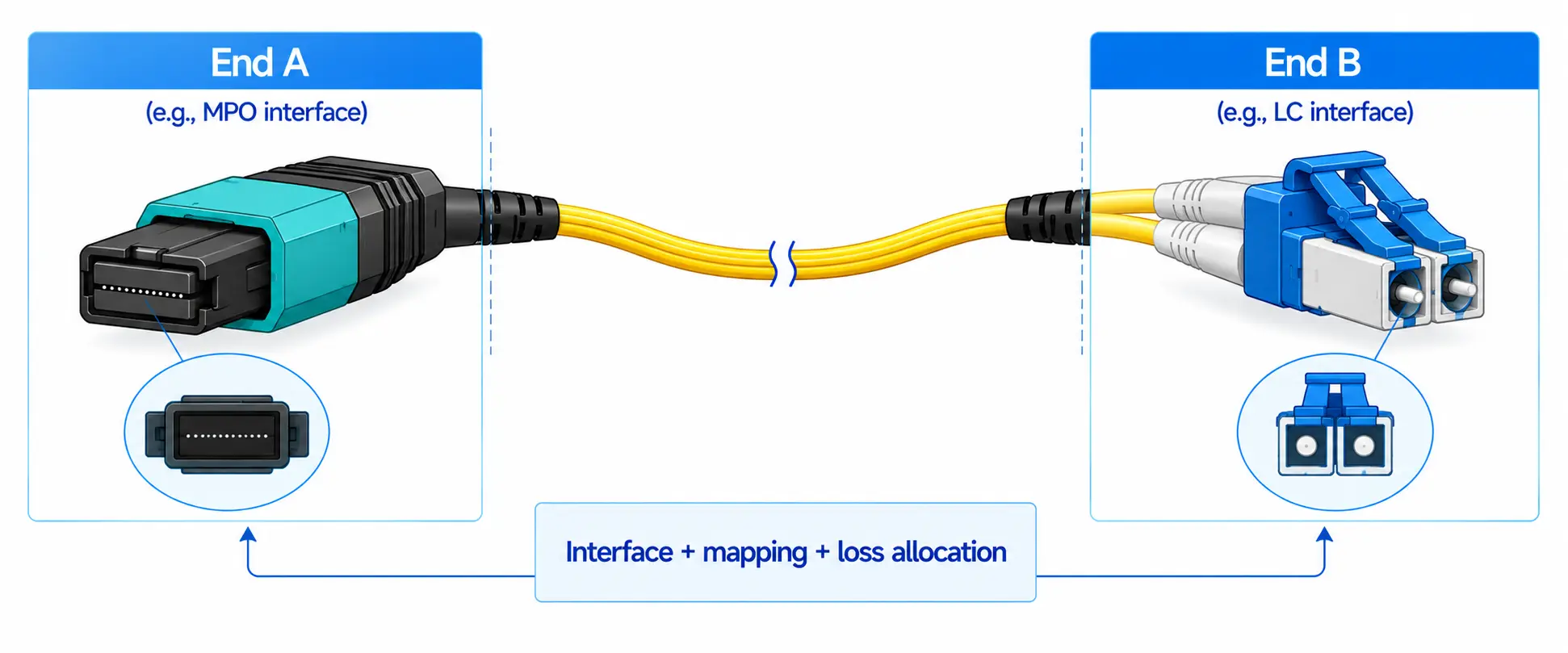
The fabric is more than switches. Plan NIC speed per GPU, the NIC-to-switch link type, DAC for short copper links, AOC and optical modules for longer runs, single-mode optics for distance, and the fiber plant, patch layout, labeling, and service access. Getting the pluggable form factor right matters here - a QSFP-DD and OSFP form-factor overview is worth a look before committing switch and NIC ports at 400G/800G. On the cabling side, breaking a high-density switch port into per-server links usually means MPO-to-LC breakout cabling, and the fiber grade should be matched to distance - the practical multimode fiber reach limits (OM1–OM5) decide where multimode still works and where single-mode is required. Poor cabling design can make a technically correct topology miserable to operate.
| Link class | Typical distance | Common choice |
|---|---|---|
| In-rack GPU-to-leaf | Under ~3 m | DAC (copper) |
| Adjacent-rack | ~3–7 m | AOC or DAC |
| Leaf-to-spine within a hall | Tens of meters to ~100 m | Multimode (OM4/OM5) + SR optics, or single-mode |
| Across halls / DC-scale | ~100 m to 2 km | Single-mode + 400G/800G transceivers |
Step 6: Configure lossless transport and congestion control
This is the most sensitive part of the deployment. Classify RoCEv2 traffic correctly and map it to the right priority; enable PFC on that priority; set ECN thresholds below the PFC threshold; confirm the NICs implement the intended DCQCN response; keep unrelated traffic out of the lossless class; and test explicitly for pause storms and head-of-line blocking. Treat PFC as a safety mechanism, not as the everyday way you run a congested network.
Step 7: Validate with telemetry and AI-like test traffic
Before production jobs run, validate end-to-end bandwidth, latency distribution, tail latency, packet drops, ECN marking behavior, PFC pause frequency, link-failure recovery, flow distribution, and GPU job performance under load. Simple iperf throughput is not enough - verify ECN marking, PFC pause, queue depth, and NCCL all-reduce performance together, because a fabric that passes point-to-point tests can still choke on synchronized collective communication.
FAQ: AI Cluster Networking
Q: Can RoCEv2 really replace InfiniBand for AI training?
A: For many clusters, yes - when the Ethernet fabric is properly designed and tuned. Large operators run production training on RoCEv2 backends, and both the Ultra Ethernet Consortium and vendor platforms like NVIDIA Spectrum-X are pushing Ethernet specifically toward AI-scale performance. The caveat is that RoCEv2 demands deliberate lossless engineering; it does not "just work" out of the box the way a purpose-built HPC fabric might.
Q: When do I actually need 800G instead of 400G?
A: When per-GPU and per-rack bandwidth demand outgrows what 400G links can carry without adding tiers, cables, and optics. Dense servers with a high-speed NIC per GPU, and larger clusters where oversubscription would otherwise creep in, are the usual triggers. Plan the migration path early so 800G is a step, not a redesign.
Q: What happens if PFC is misconfigured?
A: Poor PFC configuration can cause pause storms, head-of-line blocking, and congestion spreading, where pausing one link backs up traffic across the fabric. That is why ECN should carry most of the congestion signaling and PFC should rarely engage; rising PFC counters during normal runs are a warning sign, not a success indicator.
Q: Does an AI cluster network have to be physically isolated?
A: Not always, but larger clusters usually benefit from physically separating the backend training fabric from the frontend. Smaller deployments can often use logical separation with VLANs and QoS, provided storage and checkpoint bursts are kept out of the lossless training class.
Q: How do I choose between DAC, AOC, and optical transceivers?
A: By distance and power. DAC suits short in-rack copper links; AOC covers slightly longer, flexible runs; and optical transceivers with multimode or single-mode fiber handle rack-to-spine and cross-hall distances. Match fiber grade to reach, and weigh optics power, since transceivers are a major share of both fabric power and failure rate.
Q: Do small GPU clusters need a full lossless fabric?
A: They still need correct RoCEv2 configuration - classification, PFC on the right priority, and ECN below PFC - but a small single-domain cluster can often skip the multi-tier topology and heavy oversubscription planning that large fabrics require. The lossless behavior is not optional; the scale-out complexity is.
Conclusion and Next Step
AI cluster networking decides whether GPUs work as one coordinated system or idle waiting for data. A strong design combines high bandwidth, predictable latency, lossless RoCEv2 transport, a scalable leaf-spine topology, the right optics and cabling, and telemetry deep enough to correlate fabric health with job health. Small clusters lead with clean topology and correct RoCEv2 configuration; large clusters must also address frontend/backend separation, congestion-aware load balancing, 400G/800G migration, power density, and telemetry-driven operations.
The best next step is to fix your inputs first: GPU scale, workload pattern, rack design, and traffic domains. Then select the switches, NICs, optics, and lossless Ethernet configuration to match. If you are scoping the optical and structured-cabling side of a GPU fabric in parallel, our data center fiber and cabling solutions can help you match trunk, breakout, and transceiver choices to your topology and link distances. In AI infrastructure, the right network is not just faster - it is more predictable, more observable, and easier to scale.