As data centers push toward 100G, 400G, and beyond, the link between two ports is no longer just a cable - it is a design decision that affects density, airflow, power budget, and long-term maintainability. For links that stretch past what copper can comfortably handle but do not need the full modularity of separate optics and fiber, an active optical cable often turns out to be the most practical answer.
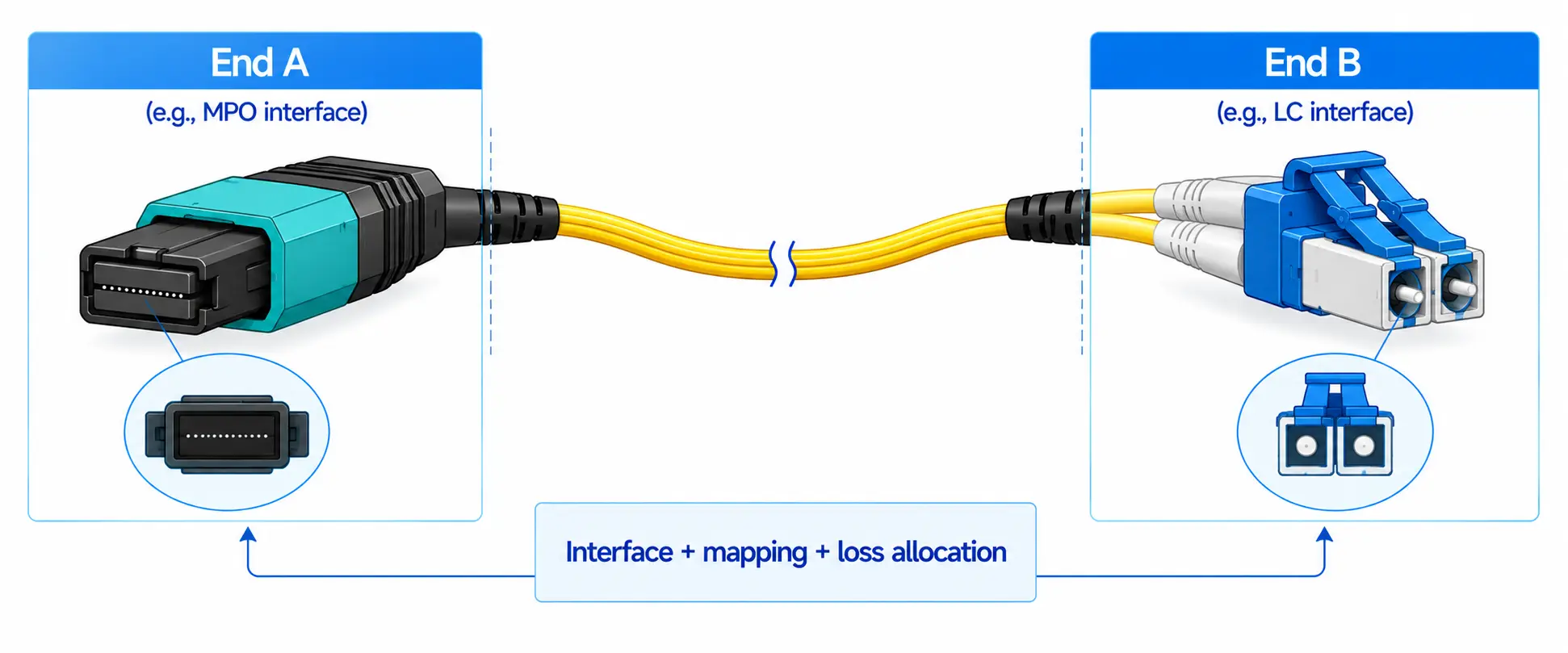
An active optical cable (AOC) is a factory-terminated cable assembly that uses optical fiber as the transmission medium and integrates active optical transceiver components at both ends. From the outside it looks like a fiber patch cord with pluggable connectors; inside, it performs electrical-to-optical conversion at the transmit end, carries the signal over fiber, and converts it back to electrical at the receive end - all without requiring separate optical transceivers.
This guide covers how AOC cables work, where they fit in comparison with DAC cables and optical transceivers, what speeds and form factors are available, and how to choose and deploy the right AOC for data center, enterprise, HPC, and AI networking environments.

How Does an Active Optical Cable Work?
When a host device - a switch, server, or network adapter - sends data, the signal leaves the port as an electrical signal. The AOC connector at the transmit end contains a laser driver and a vertical-cavity surface-emitting laser (VCSEL) or other optical source that converts the electrical signal into light. That light travels through multimode fiber inside the cable assembly. At the receive end, a photodetector converts the light back into an electrical signal and delivers it to the host port.

This design produces several characteristics that distinguish AOC from passive copper cables:
- The external interface is electrical - the cable plugs into standard SFP+, SFP28, QSFP+, QSFP28, QSFP-DD, or OSFP ports just like a DAC or an optical transceiver.
- The internal path is optical, so the cable can reach distances that copper cannot support at high data rates - typically up to 30 m, 50 m, 70 m, or even 100 m depending on the speed and product specification.
- The cable draws power from the host port because both ends contain active electronics. Power consumption is typically in the range of 0.5 W to 3.5 W per end, varying with speed and design.
- The length and connector ends are fixed at the factory. If the cable is damaged, the wrong length, or incompatible, the entire assembly must be replaced.
Because it combines a pluggable electrical interface with an optical transmission path, an AOC is often described as a middle ground between a DAC cable and a discrete optical transceiver paired with a fiber patch cable.
Active Optical Cable vs DAC Cable vs Optical Transceivers
The three most common options for high-speed point-to-point data center links are DAC (Direct Attach Copper) cables, AOC cables, and optical transceivers with separate fiber patch cords. Each suits a different set of constraints.

| Factor | DAC Cable | Active Optical Cable | Optical Transceiver + Fiber |
|---|---|---|---|
| Transmission medium | Copper (twinax) | Multimode optical fiber | Single-mode or multimode fiber |
| Typical reach | 1–5 m (passive); up to 7 m (active) | Up to 30–100 m depending on speed | Hundreds of meters to tens of kilometers |
| Cable weight and bulk | Heavier, stiffer at higher speeds | Lightweight and flexible | Depends on fiber type and patch cord |
| EMI resistance | Susceptible | Immune (optical path) | Immune (optical path) |
| Power consumption | Passive DAC: near zero; active DAC: moderate | Moderate (active electronics at both ends) | Moderate to higher (transceiver at each end) |
| Cost | Lowest for short links | Mid-range | Highest (optics + fiber + labor) |
| Flexibility | Fixed assembly | Fixed assembly | Modular - optics and fiber can be changed independently |
| Best fit | Same-rack or adjacent-rack links under 5 m | Cross-rack or high-density links from 5 m to 30–100 m | Structured cabling, long reach, patch-panel environments |
Quick Decision Rule
In real deployments, link type is usually decided by distance and environment rather than by a single specification:
- 1–3 m, same rack: Passive DAC is typically the first choice - lowest cost, zero power, simplest deployment. Choose AOC instead only if cable bulk or EMI is a specific concern.
- 3–7 m, adjacent racks: Either active DAC or AOC may work. AOC becomes more practical when copper stiffness makes routing difficult in dense cable paths.
- 7–100 m, cross-row or cross-hall: AOC is usually the go-to option. Separate optical transceivers with fiber patch cords become preferable when you need patch-panel flexibility or when the link must be field-terminable.
- Beyond 100 m or structured cabling: Discrete transceivers paired with single-mode fiber or multimode fiber are the standard approach.

Key Benefits of Active Optical Cables

Longer Reach Than Copper
Copper twinax cables lose signal integrity rapidly at high data rates. At 25G, passive DAC is generally limited to about 5 m; at 100G and above, the practical reach drops further. AOC cables, because they transmit over fiber internally, can support 10 m, 30 m, 50 m, or longer depending on the product - bridging the gap between copper and full structured fiber without adding the complexity of separate optics.
Lighter Weight and Easier Routing
A 100G QSFP28 DAC cable is noticeably stiffer and heavier than a 100G QSFP28 AOC of the same length. In high-density racks where dozens of cables run from a top-of-rack switch to servers below, cable bulk directly affects airflow, serviceability, and the risk of accidental disconnection during maintenance. AOC cables are thinner and more pliable, which simplifies routing through cable management hardware and vertical cable trays.
Electromagnetic Interference Immunity
Because the signal path inside an AOC is optical, the cable is immune to electromagnetic interference - a meaningful advantage in environments packed with power cables, high-current bus bars, and dozens of switching power supplies. Copper cables, by contrast, can pick up noise that degrades link quality, particularly over longer runs.
Plug-and-Play Deployment
AOC cables arrive as complete assemblies. There is no need to match a transceiver module to a fiber patch cord, verify polish type, or worry about connector contamination during field termination. For teams deploying hundreds of links in a new rack build-out, this reduces both installation time and the number of things that can go wrong.
Limitations of AOC Cables
Fixed Length and Non-Modular Design
An AOC cable cannot be re-terminated or shortened. If the cable is too short, too long, damaged, or coded for the wrong vendor, the entire assembly must be replaced. This makes accurate pre-deployment measurement essential - always trace the actual cable path (including vertical drops, horizontal runs, service loops, and bend clearances) rather than estimating straight-line distance.
Higher Cost Than DAC for Short Links
For in-rack connections under 3 m, passive DAC is almost always cheaper and draws no power. AOC only becomes cost-justified when the link needs more reach, lighter weight, or EMI immunity.
Compatibility and Vendor Coding
AOC cables must be recognized by the host device. Many switch vendors - Cisco, Arista, Juniper, NVIDIA (Mellanox) - enforce vendor coding checks. An AOC that is electrically and optically correct may still fail to link if the EEPROM coding does not match the platform's approved list. Before purchasing, confirm support for the specific switch model, firmware version, and breakout configuration. For third-party compatible AOC cables, choose a supplier that provides proper EEPROM coding, pre-shipment compatibility testing, and technical support.
Less Flexible Than Transceiver + Fiber
If your environment uses structured cabling with patch panels, or if you expect to change link distances, swap optics, or re-patch connections regularly, discrete optical transceivers with fiber patch cables offer more long-term flexibility than AOC.
Common AOC Cable Types by Speed

10G SFP+ AOC
SFP+ AOC cables support 10 Gigabit Ethernet and are used for server-to-switch, switch-to-switch, and storage connections. Typical reach is up to 100 m. While 10G deployments are mature, SFP+ AOC remains common in enterprise environments that have not yet migrated access-layer links to 25G.
25G SFP28 AOC
SFP28 AOC cables carry 25G Ethernet and have largely replaced SFP+ in modern data center server access designs, where 25G per server port aligns with leaf-spine architectures running 100G uplinks. Reach is typically up to 30 m or more. Understanding the difference between SFP and SFP+ form factors helps when planning mixed-speed environments.
40G QSFP+ AOC
QSFP+ AOC cables support 40G Ethernet using four 10G lanes. They are still found in aggregation and uplink roles, although many networks have transitioned from 40G to 100G. QSFP+ AOC is also used in 40G-to-4×10G breakout configurations.
100G QSFP28 AOC
QSFP28 AOC is one of the most widely deployed AOC types in modern data centers. It carries 100G Ethernet over four 25G lanes and supports reaches of up to 30 m or more. Typical use cases include leaf-to-spine switch uplinks, storage fabric connections, and high-performance compute clusters.
400G and 800G AOC
400G AOC cables use QSFP-DD or OSFP form factors, while 800G options are emerging on next-generation platforms. These speeds are especially relevant in AI training clusters and hyperscale data centers, where link density, per-port power budget, and thermal headroom are critical constraints. At 400G and above, forward error correction (FEC) requirements, lane count, and switch ASIC support must all be verified - a cable that works on one platform may not initialize on another without the correct FEC mode. The QSFP-DD form factor is defined by the QSFP-DD Multi-Source Agreement (MSA), which specifies mechanical, electrical, and thermal requirements for these high-density interfaces.
Breakout AOC Cables

A breakout AOC cable splits one high-speed port into multiple lower-speed connections. Common configurations include:
- 40G QSFP+ to 4×10G SFP+
- 100G QSFP28 to 4×25G SFP28
- 400G QSFP-DD to 4×100G QSFP28
Breakout AOC is useful when a switch supports port breakout mode and the other end connects to servers or devices with lower-speed interfaces. Before ordering, confirm that the switch operating system supports the specific breakout configuration - some platforms require explicit CLI or firmware-level breakout enablement. For fiber-based breakout alternatives, see this MPO breakout cable guide or learn more about MPO cable types.
Where Are Active Optical Cables Used?

Data Center Top-of-Rack and Leaf-Spine Links
AOC cables are a natural fit for the short- to medium-reach links that make up the majority of connections inside a data center: server to top-of-rack switch (typically 3–10 m) and leaf switch to spine switch across adjacent racks (typically 10–30 m). In these roles, AOC delivers enough reach without the cost and complexity of discrete optics.
AI Training Clusters and HPC
AI GPU clusters - built on platforms such as NVIDIA InfiniBand or RoCE fabrics - demand large numbers of high-bandwidth, low-latency links. AOC cables reduce cable bulk in environments where hundreds or thousands of 100G, 200G, or 400G connections converge on a few switches. That said, AI clusters also make heavy use of DAC (for very short in-rack GPU-to-switch links) and discrete optics (for longer inter-pod connections), so AOC is one tool among several rather than a default.
Storage Fabric Connections
Storage arrays, NVMe-oF targets, and SAN switches often sit in dedicated racks that connect back to compute racks over distances where copper becomes impractical. AOC provides a clean, lightweight link for these connections.
Enterprise and Campus Equipment Rooms
In enterprise switch rooms, AOC can simplify aggregation uplinks and cross-connect links where structured cabling is not required and quick deployment matters more than long-term re-patching flexibility.
How to Choose the Right AOC Cable?
Selecting an AOC cable is a multi-step process. In practice, compatibility is often checked before cable length, because an unsupported cable may not be recognized even if the physical interface matches.
Step 1: Identify the Port Form Factor
Check both ends of the link. Common form factors include SFP+, SFP28, QSFP+, QSFP28, QSFP56, QSFP-DD, and OSFP. Do not assume a cable will work just because it physically fits - the form factor, speed, and lane mapping must all align. Understanding connector types helps avoid physical mismatch.
Step 2: Match the Data Rate and Lane Configuration
Choose an AOC rated for the required link speed. For breakout links, confirm both the aggregate port speed and the per-lane breakout configuration (for example, 4×25G from a 100G port, or 4×100G from a 400G port).
Step 3: Verify Platform Compatibility
Confirm that the AOC is supported on the specific switch model, NIC model, and firmware version at both ends. For third-party cables, check that the EEPROM vendor coding matches the host device's approved list. Many vendors publish compatibility matrices - consult those before purchasing.
Step 4: Measure the Actual Cable Path
Trace the real route from port to port, accounting for vertical drops, horizontal cable tray runs, service loops, and minimum bend radius. Add a small amount of slack - but not so much that excess cable blocks airflow or clutters the rack. For guidance on physical cable routing, refer to the fiber optic cable installation guide.
Step 5: Evaluate Power and Thermal Impact
Each AOC end draws power from the host port. In a high-density switch with 32 or 64 QSFP28 ports, the aggregate power draw from AOC cables can be meaningful. Review the switch's thermal design power (TDP) budget and ensure adequate airflow - especially in rear-to-front cooled switches where cable congestion at the front panel directly affects cooling.
Step 6: Plan for FEC and DOM Requirements
At 100G and above, links commonly require forward error correction (FEC). Verify that both the cable and the host device support the same FEC type (for example, RS-FEC or FC-FEC). If you need to monitor link health, confirm whether the AOC supports Digital Optical Monitoring (DOM) or Digital Diagnostics Monitoring (DDM) - not all AOC products expose optical power, temperature, and bias current readings.
Installation and Handling Best Practices
AOC cables are simpler to deploy than discrete optics in most scenarios, but they still contain fiber and active electronics that require care.
- Keep dust caps on until the moment of insertion. Contaminated connectors are one of the most common causes of link errors in optical assemblies.
- Respect the minimum bend radius. Fiber inside the cable can develop micro-cracks from sharp bends, leading to intermittent loss increases that are difficult to diagnose.
- Support the cable weight. Do not let the cable hang unsupported from the transceiver connector. Use cable management arms, hook-and-loop ties, or vertical cable managers to distribute weight. Proper cable management hardware protects both the cable and the port.
- Label both ends before installation, especially for breakout AOC cables where one port fans out to multiple endpoints.
- Test a small batch first in large deployments. Confirm that the switch recognizes the cable, the link initializes at the expected speed, FEC counters are clean, and DOM readings (if available) fall within specification.
Troubleshooting Common AOC Link Issues
When an AOC link does not come up or behaves erratically, work through these checks:
- Link not up: Verify that the cable is fully seated in the port at both ends. Check that the switch or NIC firmware supports the AOC's vendor coding. Run the platform's "show interface transceiver" or equivalent command to see whether the device recognizes the cable at all.
- "Unsupported transceiver" warning: The EEPROM coding does not match the device's approved vendor list. Contact the cable supplier for correct coding, or check whether the switch has a command to override transceiver validation (some platforms allow this, others do not).
- Breakout lanes not detected: Confirm that port breakout is enabled in the switch configuration. Some platforms require a reboot or config reload after changing breakout mode.
- High error rate or CRC errors: Inspect both connector ends for contamination or physical damage. Verify that the correct FEC mode is negotiated on both sides. Check for bend radius violations along the cable path.
- Intermittent link flaps: Suspect connector contamination, cable stress at the port, or thermal issues (overheating transceivers can cause intermittent shutdowns). Review DOM temperature readings if available.
Common Mistakes to Avoid
Using AOC for every link regardless of distance.
For same-rack connections under 3 m, passive DAC is usually cheaper, draws no power, and performs identically. Reserve AOC for links where copper reach, cable weight, or EMI is a real constraint.
Ordering breakout AOC without confirming switch support.
A breakout cable is useless if the switch port does not support the required breakout mode. Always verify the configuration - and check whether a reboot is needed to activate it - before the cable ships.
Estimating cable length by straight-line distance.
The actual cable path through vertical cable managers, overhead trays, and under-floor routing is often 30–50 percent longer than the line-of-sight distance between ports. Measure the real path and add a modest service loop.
Ignoring vendor compatibility.
Compatibility problems are the single most common cause of AOC deployment delays. Check the vendor compatibility matrix, test before bulk ordering, and work with a supplier that provides platform-specific EEPROM coding.
Handling AOC like copper cable.
AOC cables are lighter and more flexible than DAC, but they still contain glass fiber and active optoelectronics. Avoid crushing, sharp bends below the specified minimum bend radius, and pulling tension on the connector housing.
FAQ About Active Optical Cables
What does AOC mean in networking?
AOC stands for Active Optical Cable. It is a fiber-based cable assembly with integrated active transceiver components at both ends, designed to plug directly into standard switch, server, or storage ports.
What is the difference between AOC and DAC?
A DAC (Direct Attach Copper) cable transmits electrical signals over copper twinax and is best suited for very short in-rack links (typically 1–5 m). An AOC converts the signal to light and transmits it over fiber, supporting longer distances (up to 30–100 m depending on speed) with lighter weight and EMI immunity. DAC is cheaper and draws less power for short links; AOC is more practical when reach, cable density, or electromagnetic noise is a concern.
Is an AOC cable the same as a fiber patch cable?
No. A fiber patch cable is a passive cable that connects two separate optical transceivers. An AOC integrates the transceiver electronics into the cable assembly itself, so no separate optics are needed.
What is the maximum distance of an AOC cable?
Maximum distance varies by speed and product. 10G SFP+ AOC cables can reach up to 100 m. At 25G and 100G, typical maximum reach ranges from 30 m to 100 m. At 400G, most AOC products currently support up to 30 m. Always check the specific product datasheet for confirmed reach specifications.
Does an AOC cable need power?
Yes. Both ends of an AOC contain active electronics (laser driver, photodetector, and control circuitry) that draw power from the host port. Power draw is typically between 0.5 W and 3.5 W per end, depending on speed and design.
Do AOC cables support DOM or DDM monitoring?
Some AOC cables support Digital Optical Monitoring (DOM), also known as Digital Diagnostics Monitoring (DDM), which provides real-time readings of optical power, temperature, supply voltage, and laser bias current. However, not all AOC products support DOM - check the product specification or datasheet before assuming this feature is available.
Can I use third-party compatible AOC cables with Cisco, Arista, Juniper, or NVIDIA switches?
Yes, provided the AOC is correctly coded for the target platform. Third-party AOC cables use EEPROM vendor coding to identify themselves to the host device. A reputable supplier will code, test, and validate cables for specific switch models and firmware versions. Some switch platforms allow disabling transceiver validation checks, but this is not recommended for production environments.
Can AOC cables support 400G or 800G networks?
Yes. 400G AOC cables using QSFP-DD or OSFP form factors are commercially available. 800G AOC products are beginning to emerge as next-generation switch platforms and network ASICs roll out. At these speeds, FEC requirements, lane configuration, and thermal constraints must be carefully verified. The QSFP-DD MSA and OSFP MSA define the mechanical and electrical specifications for these interfaces.
Is AOC suitable for AI data center networking?
AOC is one of several cable types used in AI data center fabrics. It works well for medium-reach GPU-to-switch and switch-to-switch links where cable weight and density are concerns. However, AI clusters also rely heavily on DAC for very short in-rack links and on discrete optics for longer inter-pod or inter-cluster links. The choice depends on distance, power budget, and platform compatibility.
Are AOC cables hot-swappable?
Most AOC cables are designed for hot-swap - you can insert or remove them while the host device is powered on, just like a standard pluggable transceiver. However, always confirm hot-swap support in the host device's documentation, as some platforms may require specific procedures.
How do I troubleshoot an AOC link that does not come up?
Start by verifying that the cable is fully seated at both ends. Check the switch CLI for transceiver recognition and status. If the device reports "unsupported transceiver," the EEPROM coding may not match - contact the supplier. Inspect connector end-faces for contamination. For breakout links, confirm that port breakout mode is enabled in the switch configuration. If the link is up but unstable, verify FEC settings and check DOM readings for abnormal temperature or optical power.
Conclusion
Active optical cables fill a specific and important role in modern data center cabling: they deliver more reach than copper, less bulk than thick twinax assemblies, and simpler deployment than separate optical transceivers paired with fiber patch cords. They are especially valuable in high-density leaf-spine fabrics, AI and HPC clusters, and any environment where dozens or hundreds of cross-rack links need to be installed quickly and managed cleanly.
But AOC is not a universal solution. Very short links are better served by passive DAC. Structured cabling environments with patch panels and frequent re-patching call for discrete optics and fiber. And at every speed tier, platform compatibility must be verified before cables are ordered.
Before committing to AOC, confirm the port form factor, data rate, cable path length, vendor compatibility, FEC requirements, power and thermal budget, and DOM support. Work with a supplier that provides platform-specific coding, pre-shipment testing, and responsive technical support. A well-chosen AOC cable simplifies deployment and supports reliable high-speed connectivity - but only when it is matched to the right link, the right distance, and the right platform.
For more on fiber optic products and data center cabling solutions, explore the DIMIFiber fiber optic solutions page or browse the full product catalog.